Slidely AI generates complex,
fully editable PowerPoint slides
Everything is created as native PowerPoint objects, so teams can edit, restyle, and reuse with confidence.
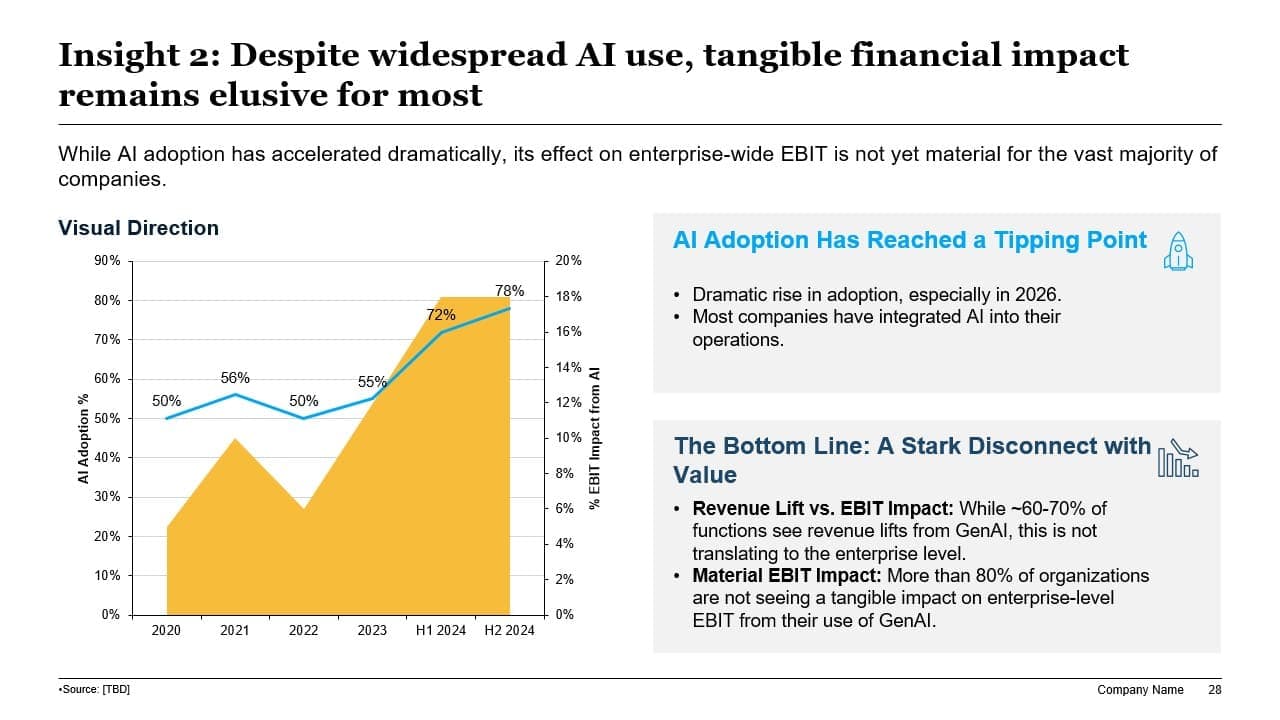
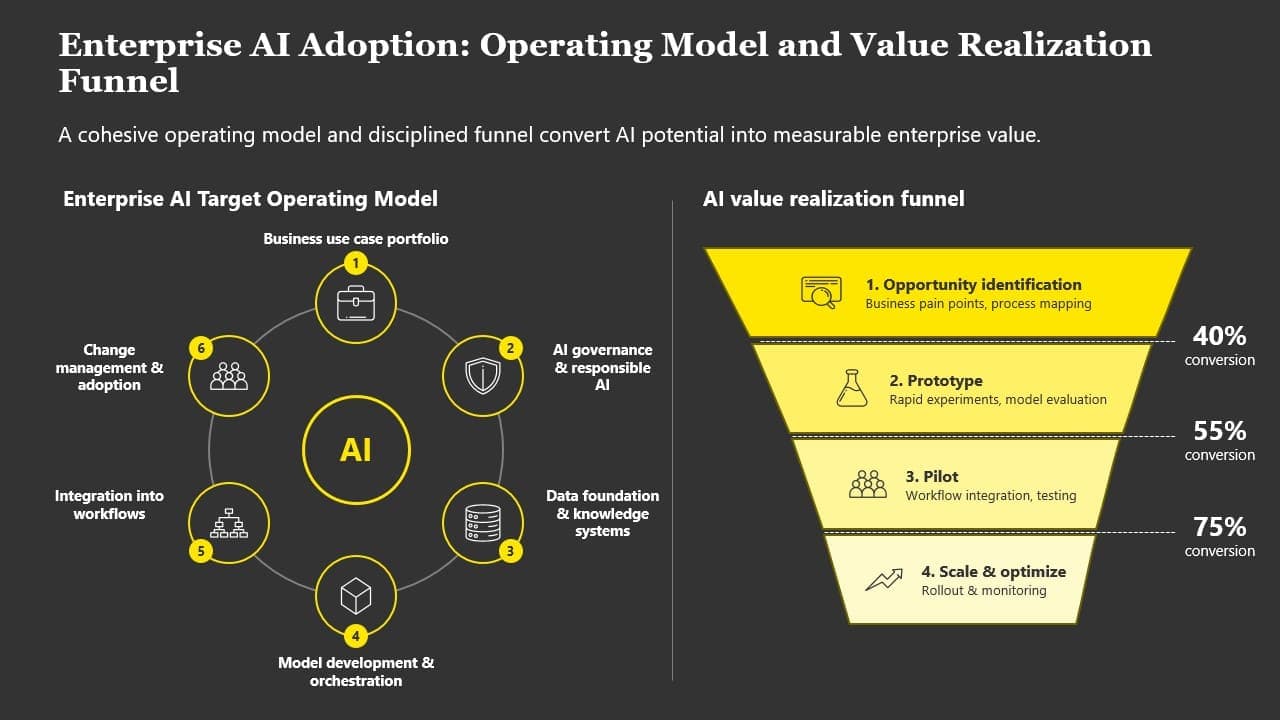
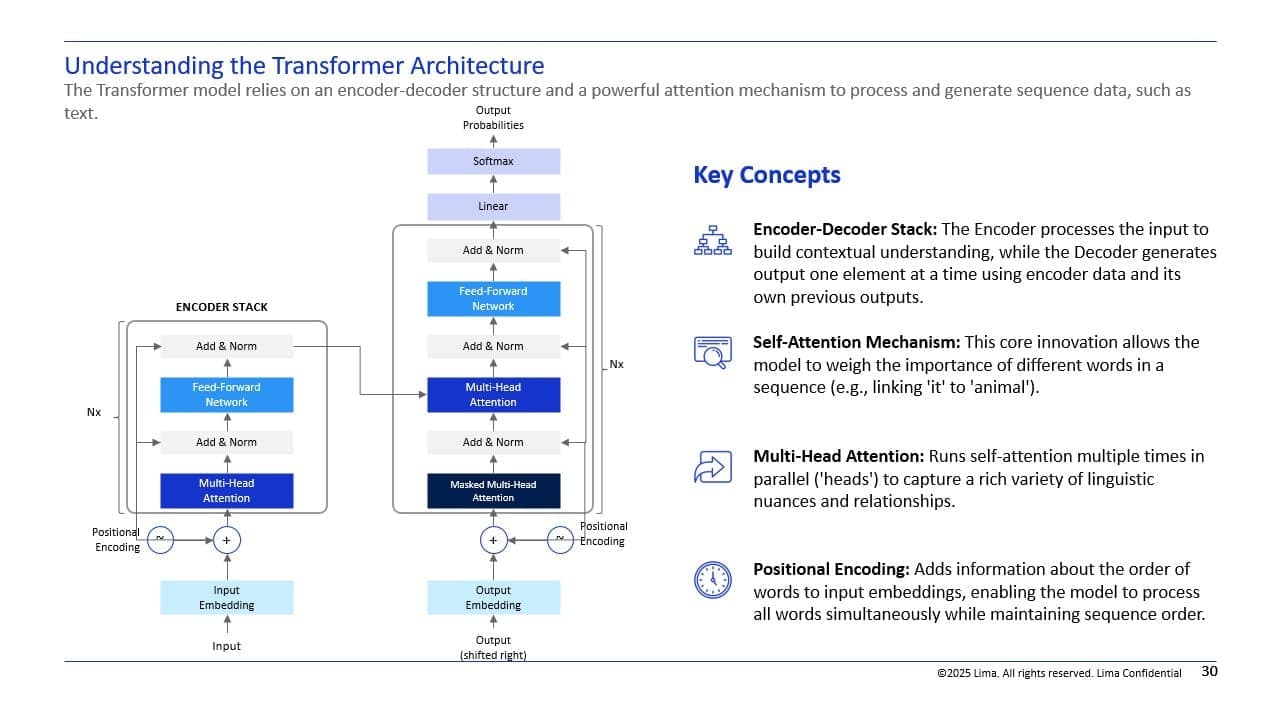
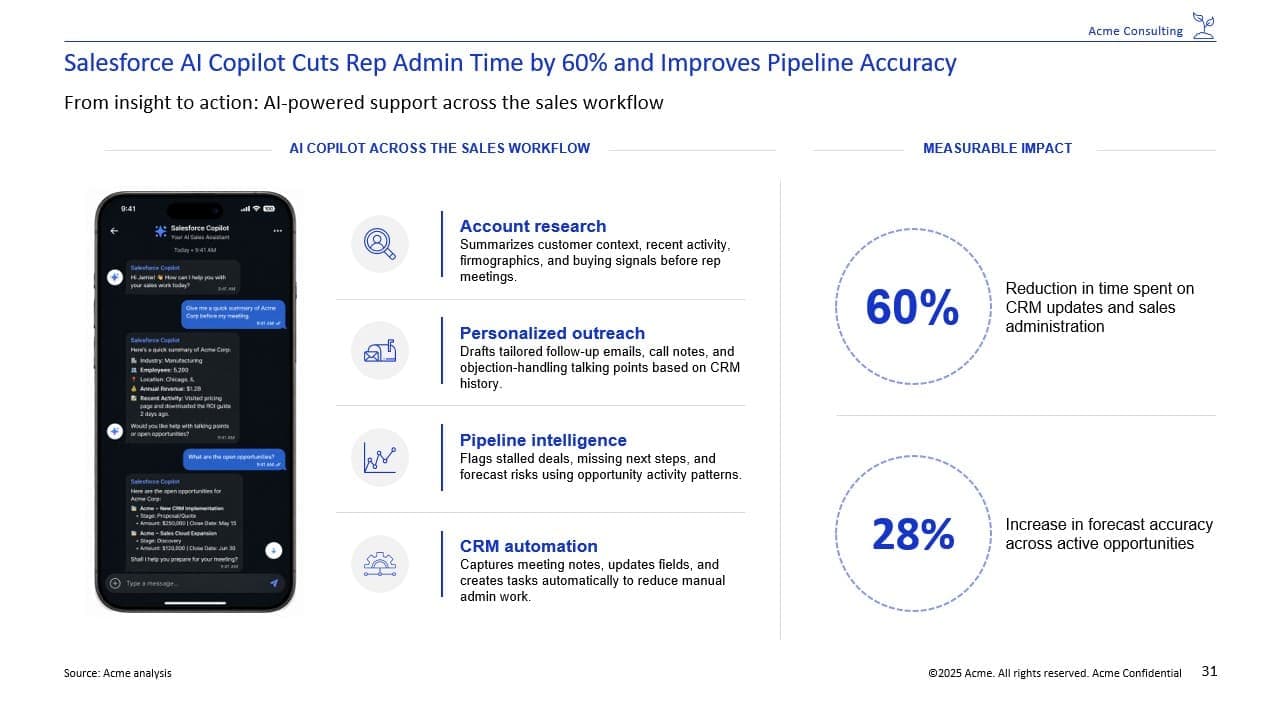
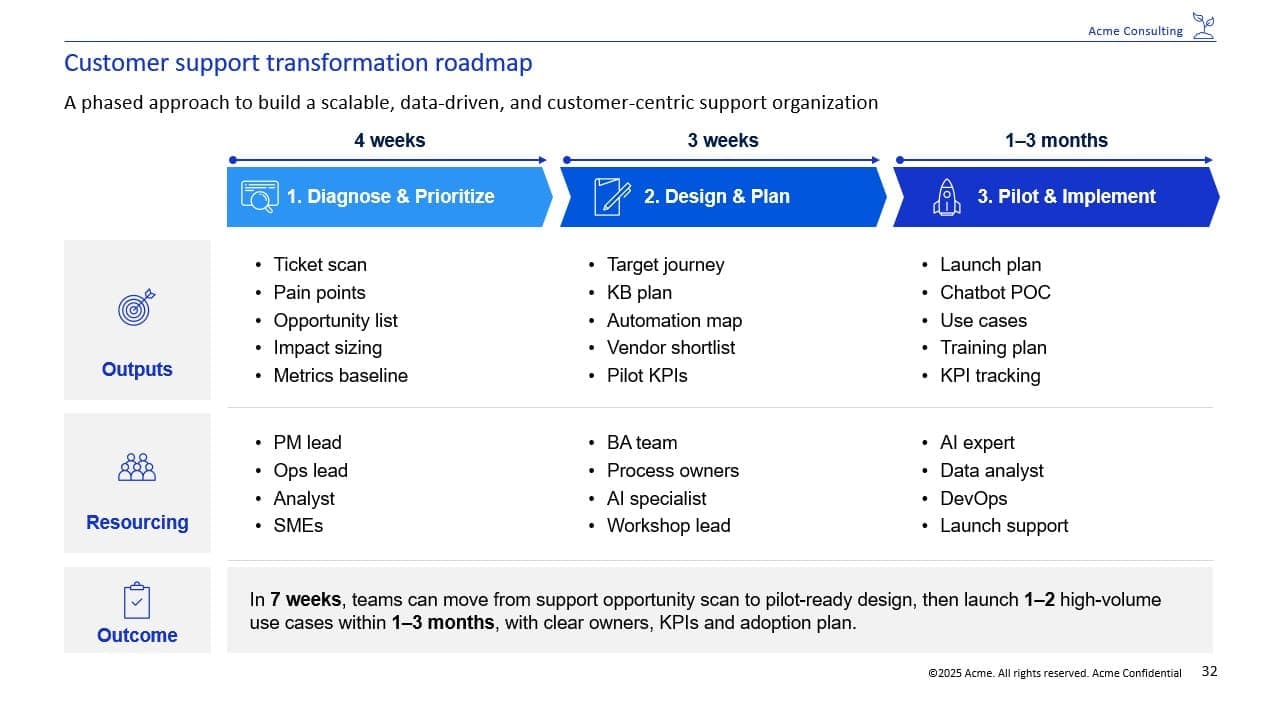
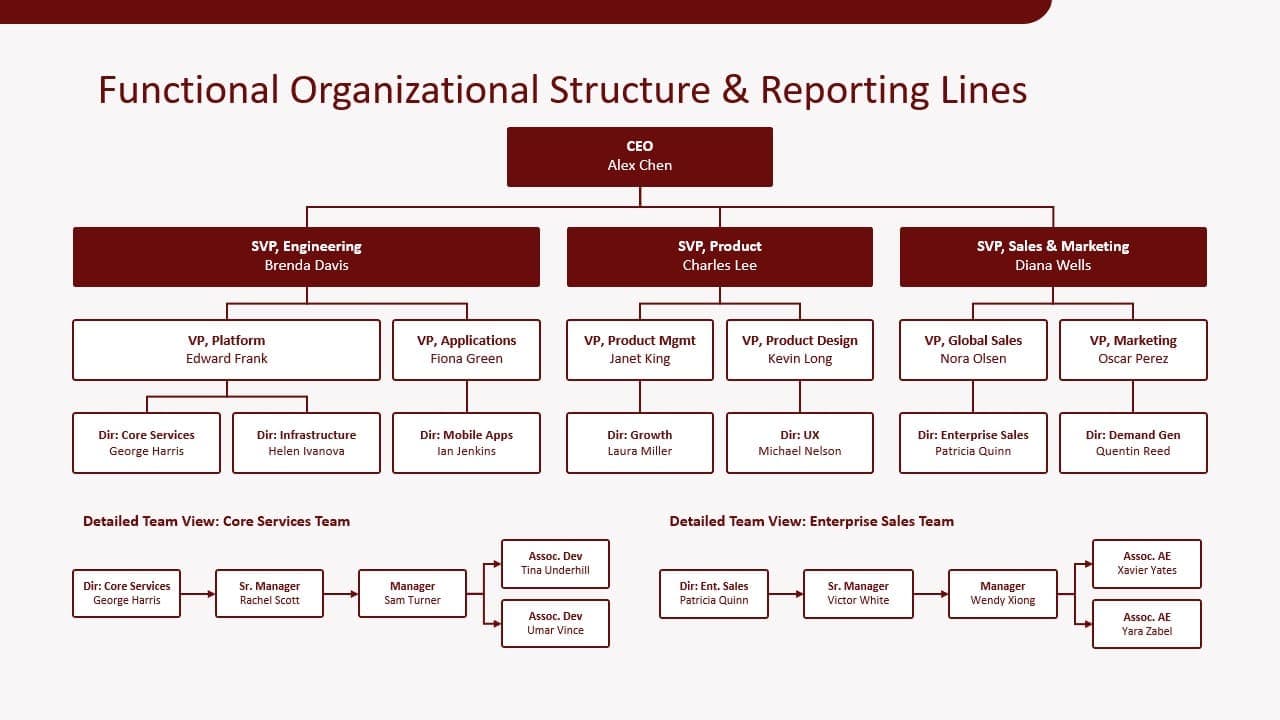
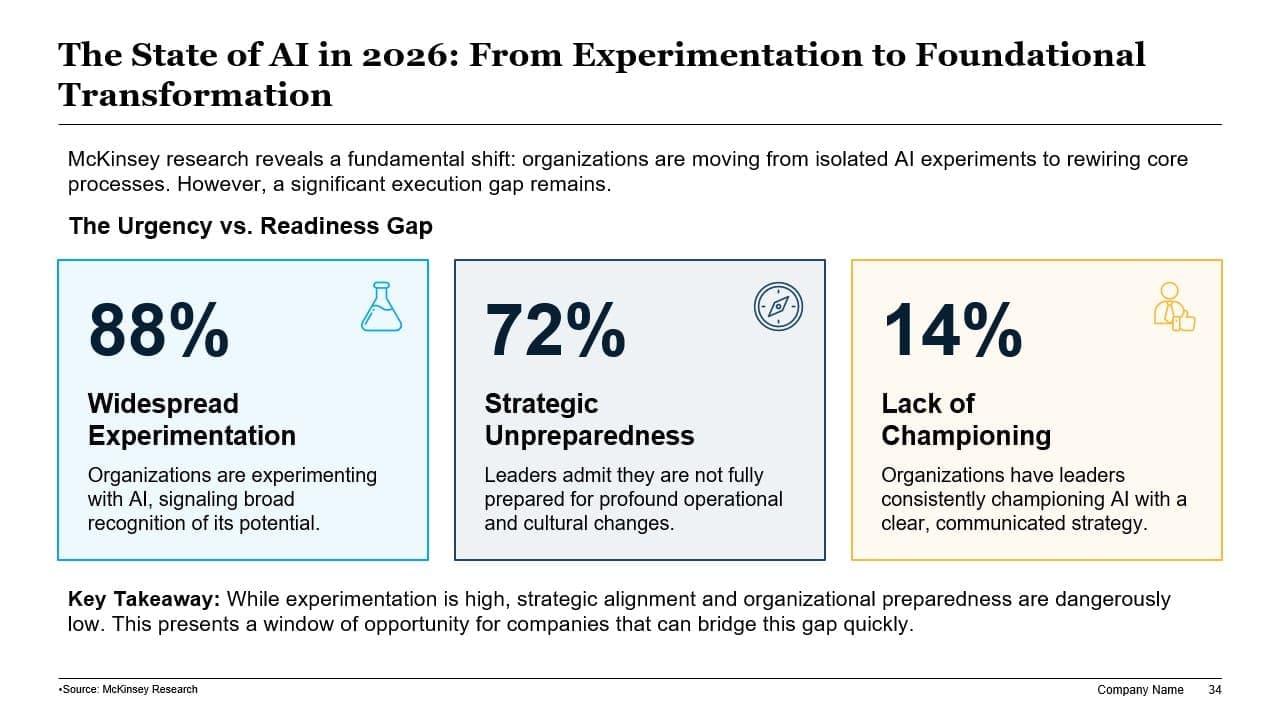
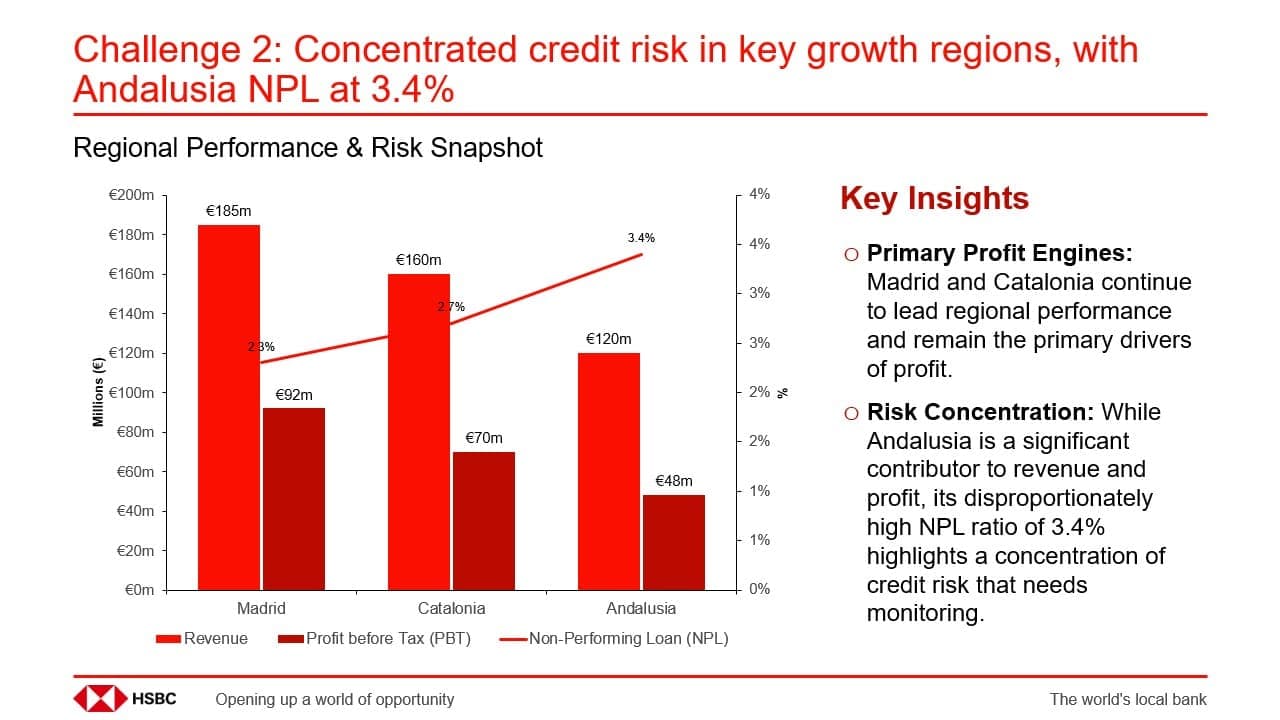
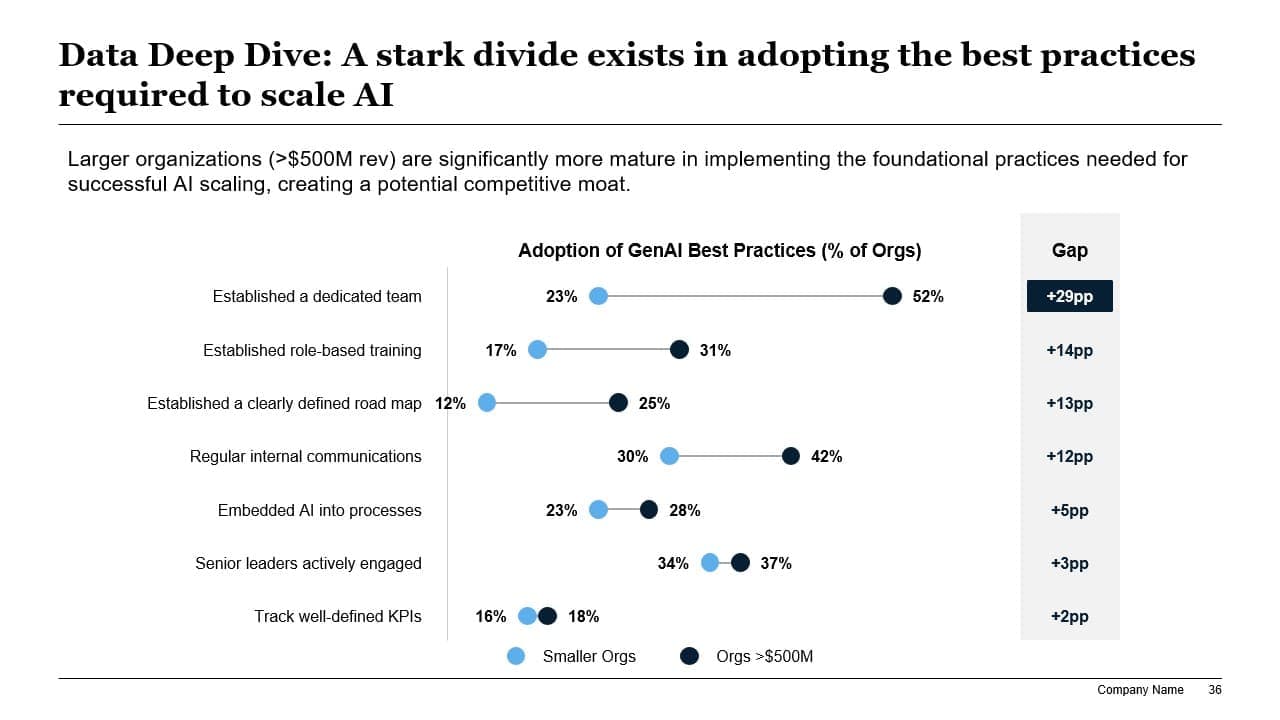
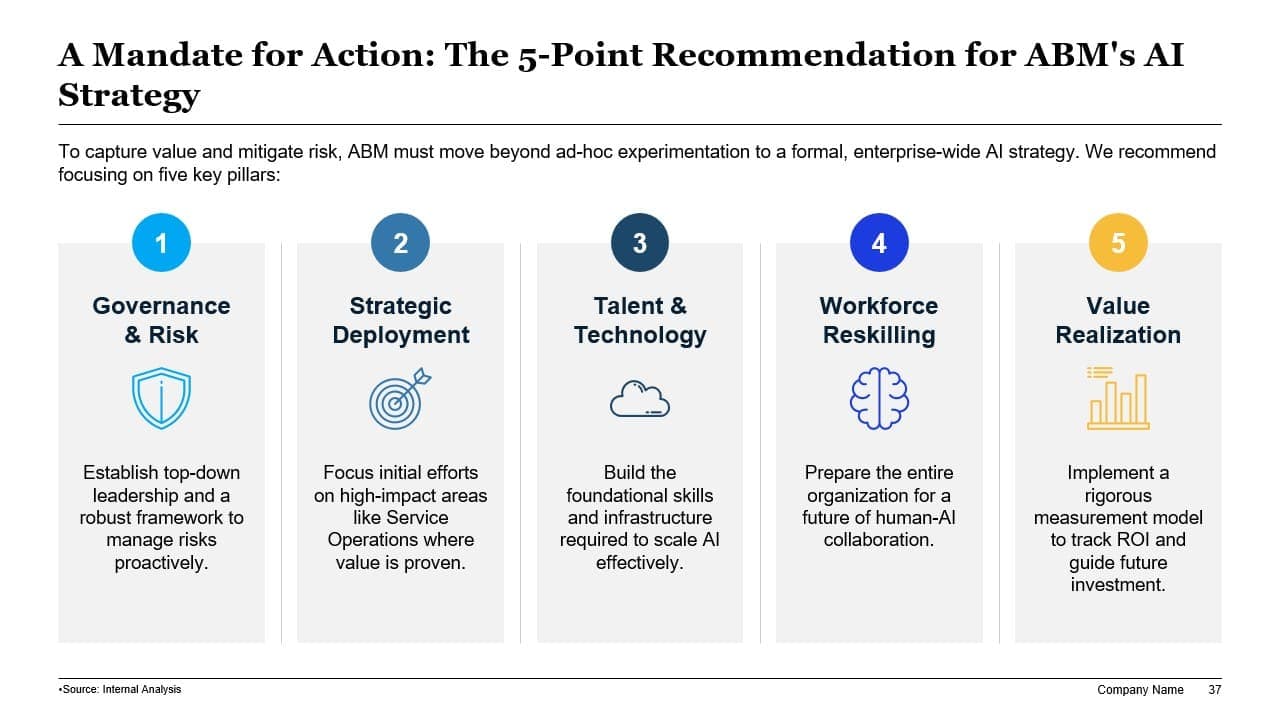
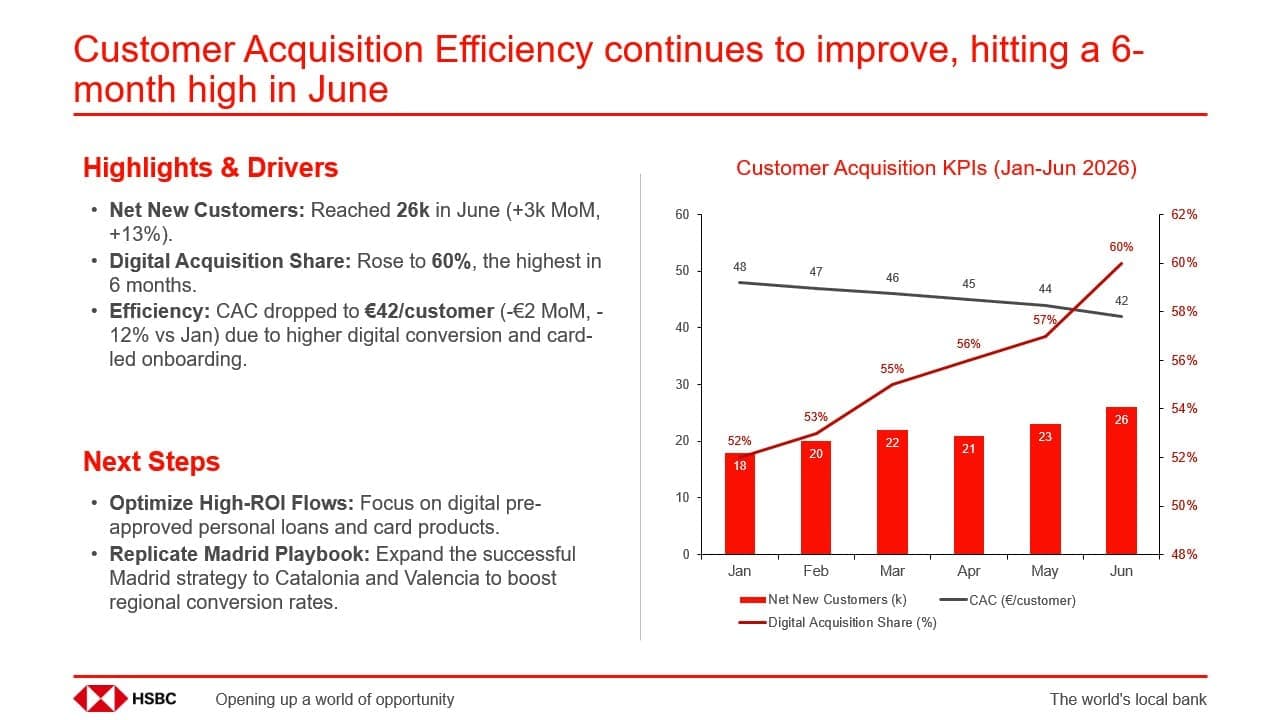
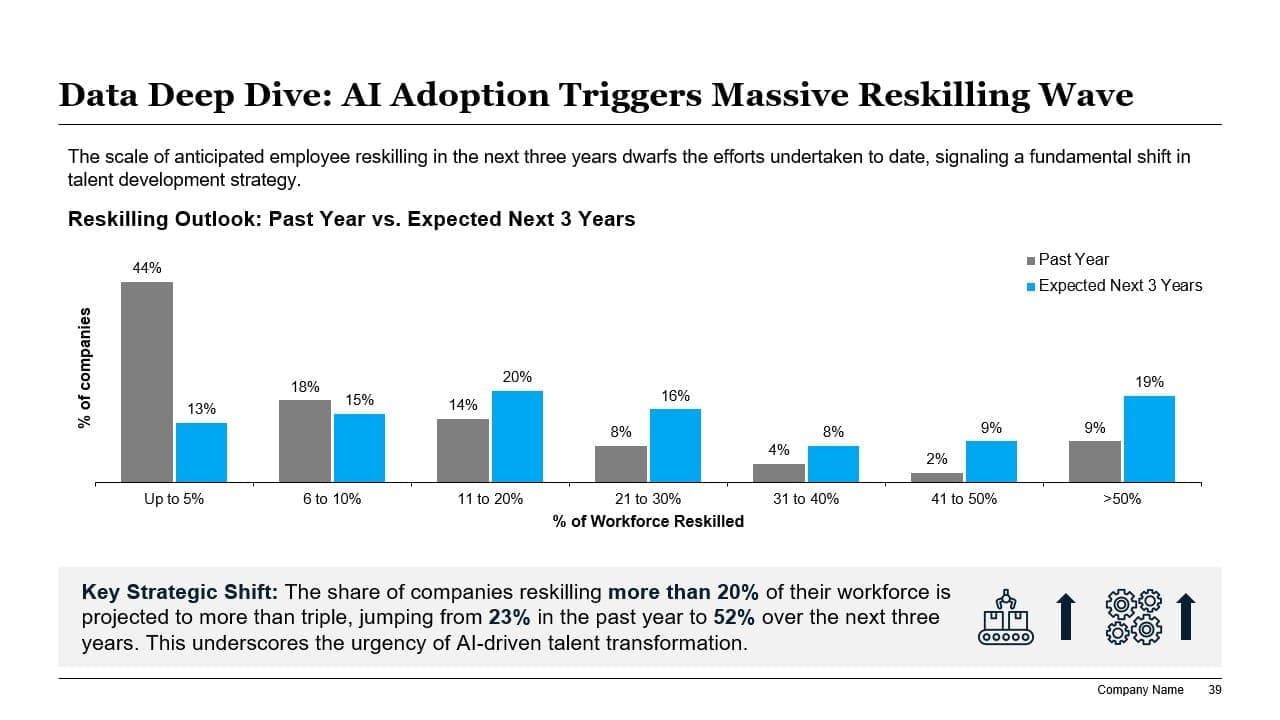
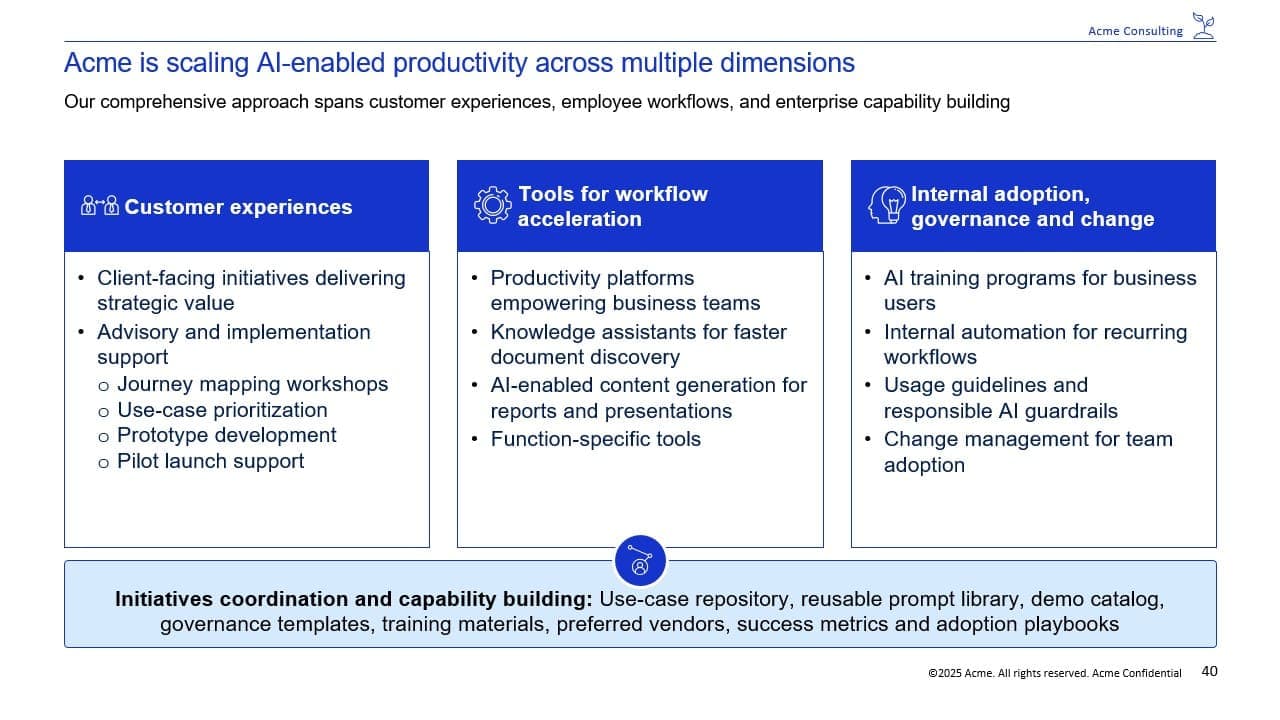
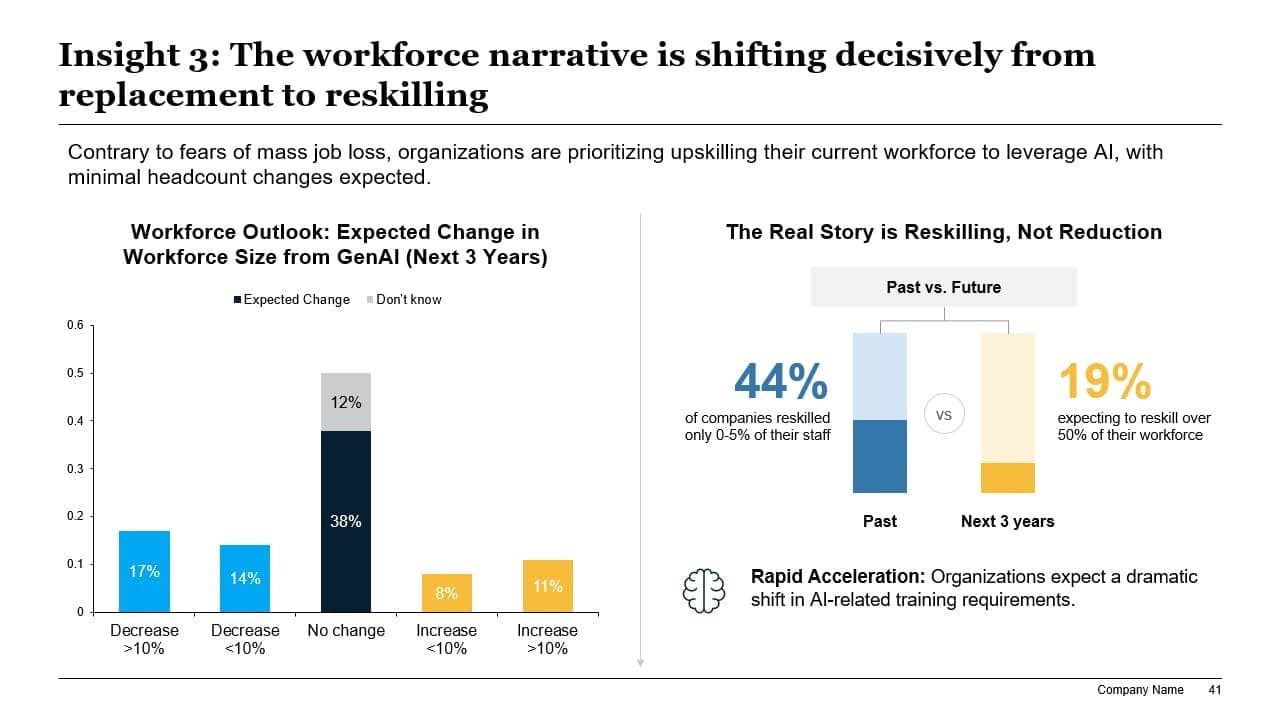
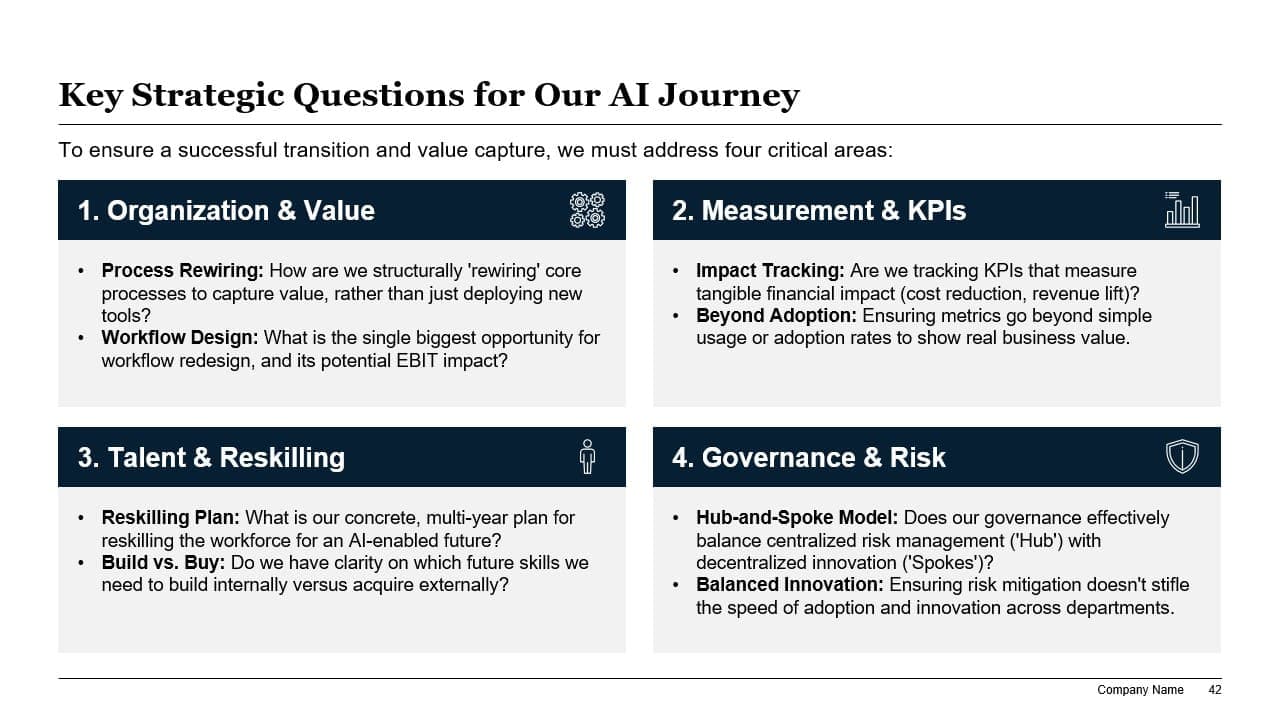
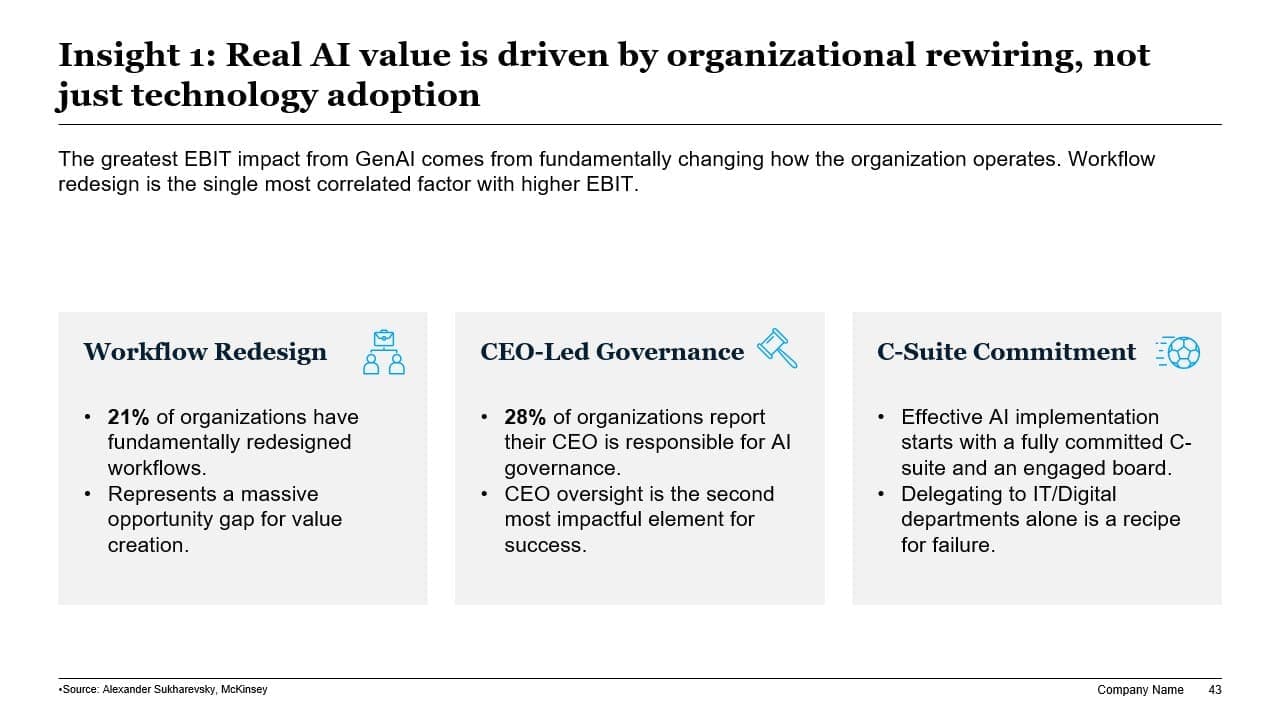
*Examples shown are unedited outputs generated in Slidely.
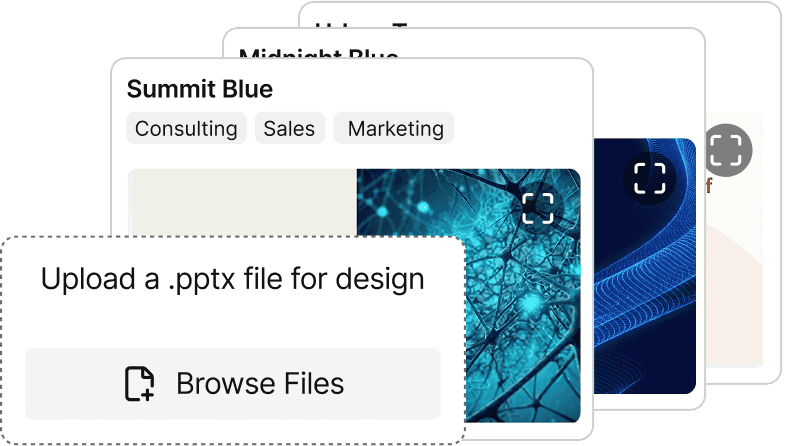
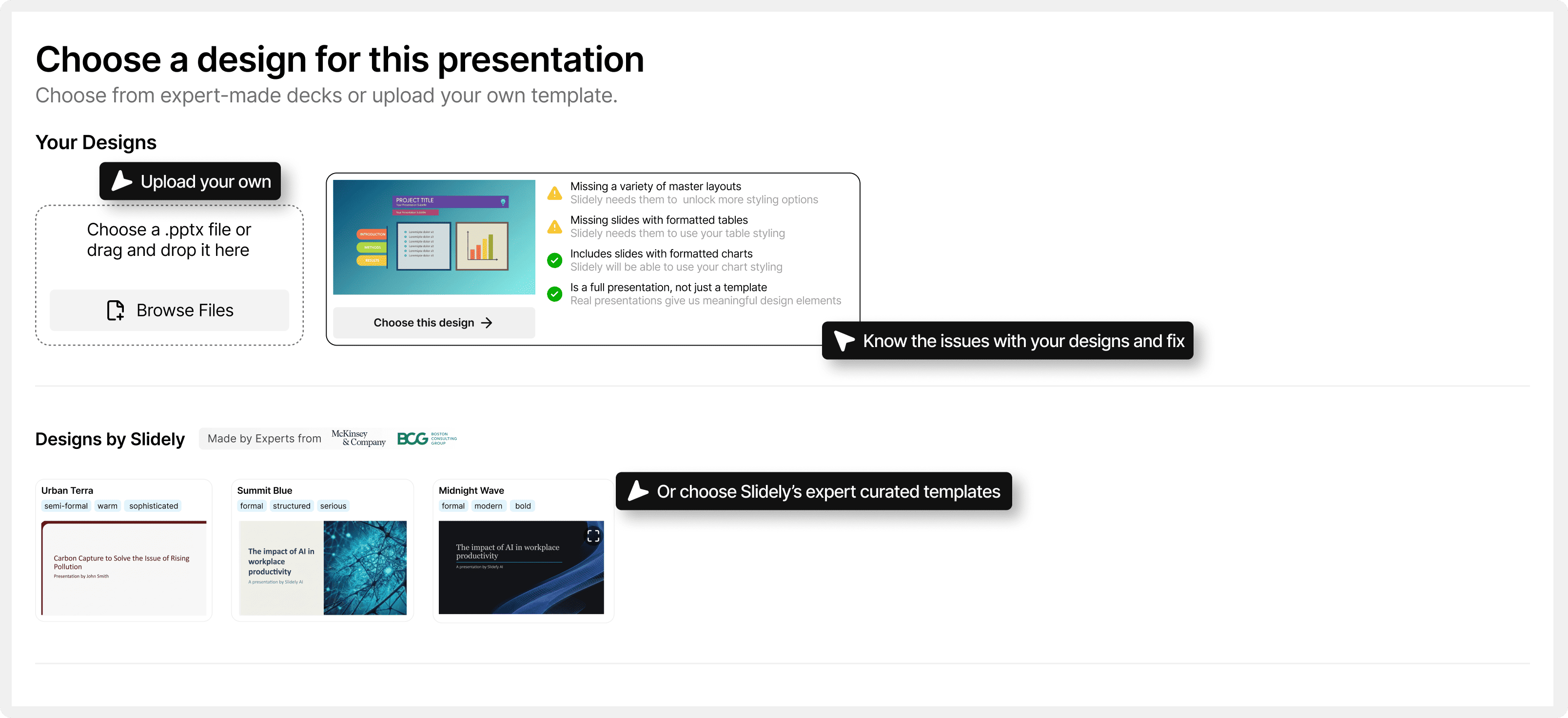
Upload your .pptx template and create with same design
Slidely uses your existing deck to match layouts, fonts, tables, charts and styling in the new presentation.
Same Content for Different Templates
Generate the same content in your branded PowerPoint, using your slide master and layouts.
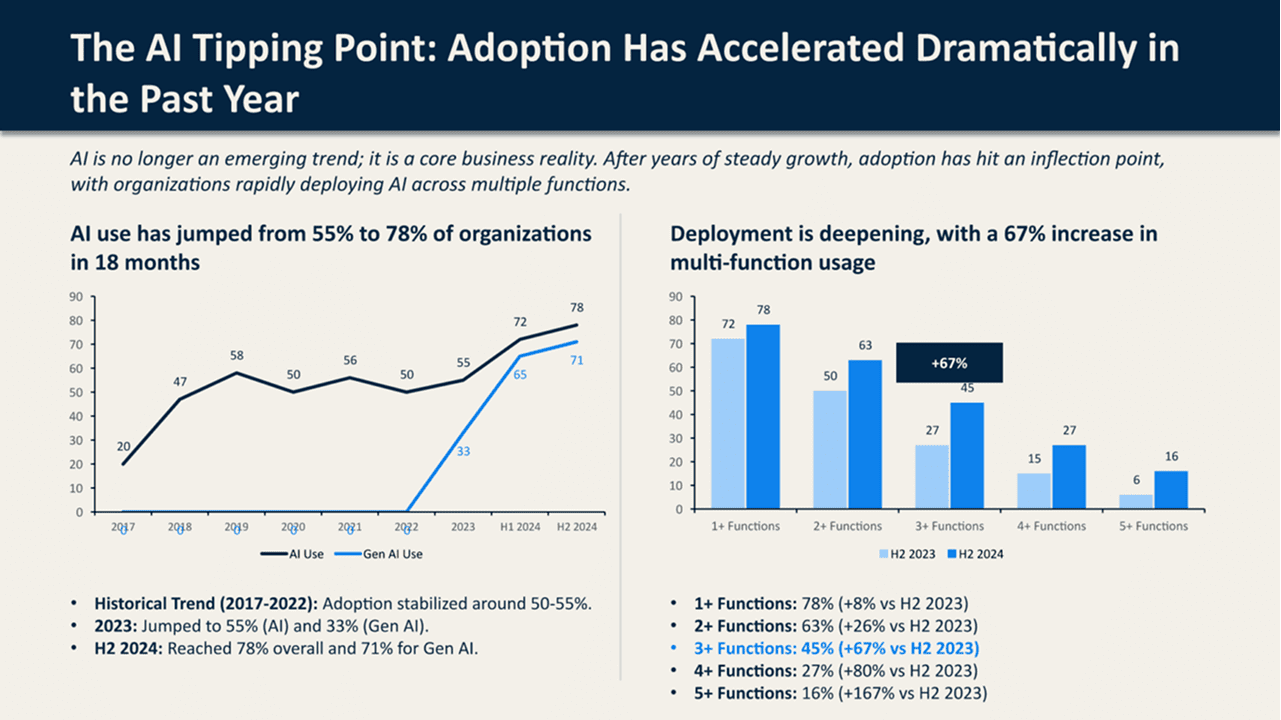
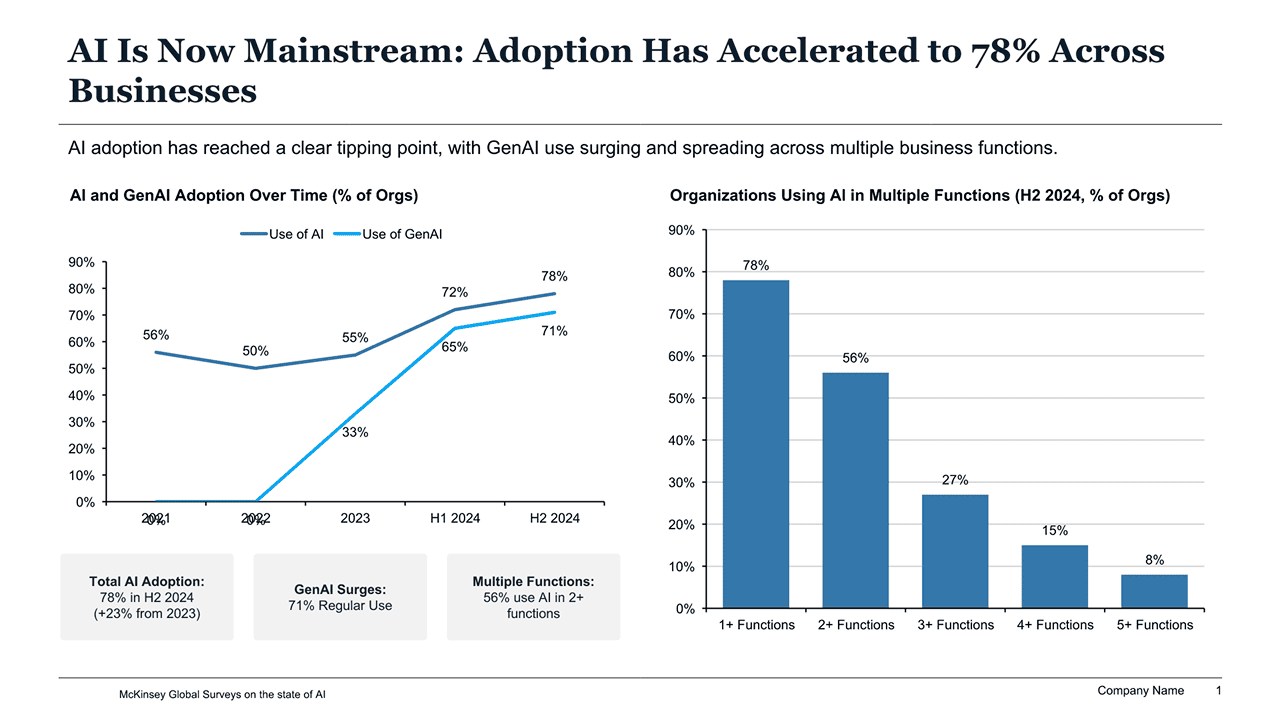


How Slidely AI turns your inputs into slides
Upload reference materials and a template. Slidely AI generates a fully editable deck in PowerPoint.
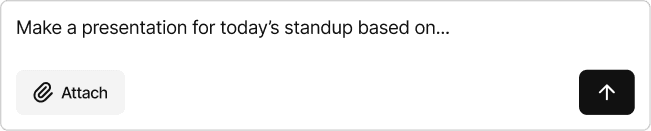
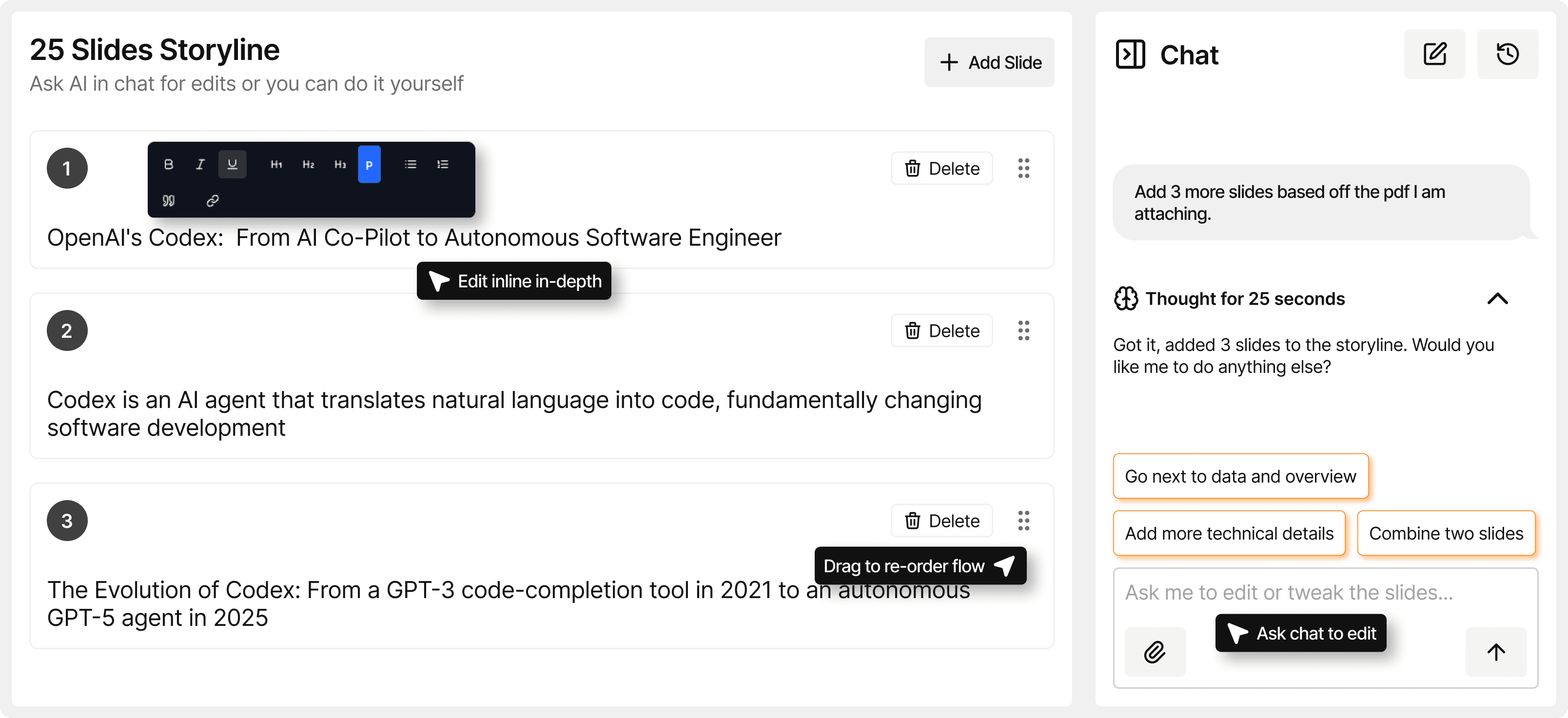
Describe what you need to present
Discuss your idea in chat, Slidely AI turns it into slides.
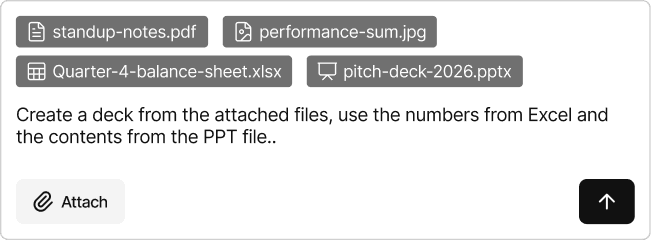
Upload files for reference
Add docs, slides, or sheets. Slidely AI uses them as source material.
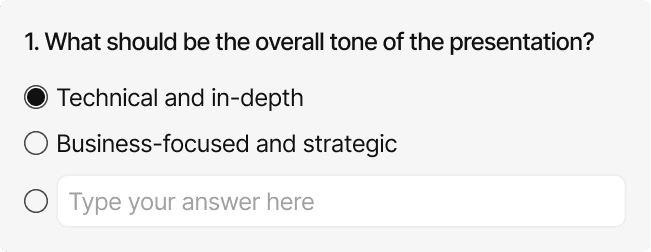
Slidely refines the brief through a few questions
Set your preferences up front. Slidely applies them across the deck.
Control what goes into each slide, step by step
Slidely guides you through a stepped flow so you can review and refine at each stage.
Upload your .pptx template
Slidely uses your existing deck to match layouts, fonts, etc in the new presentation.
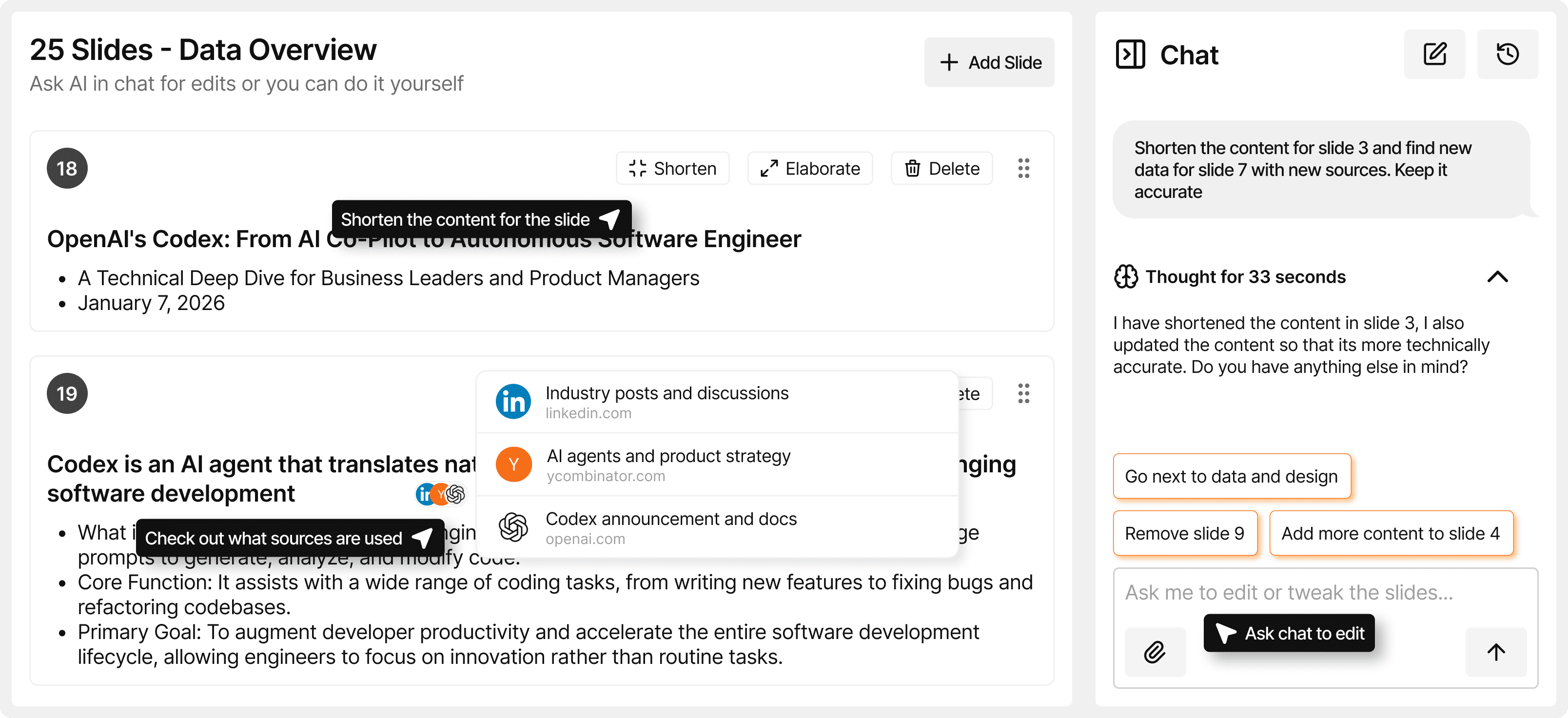
Review slide-wise data
Check the content and sources for each slide before moving on.
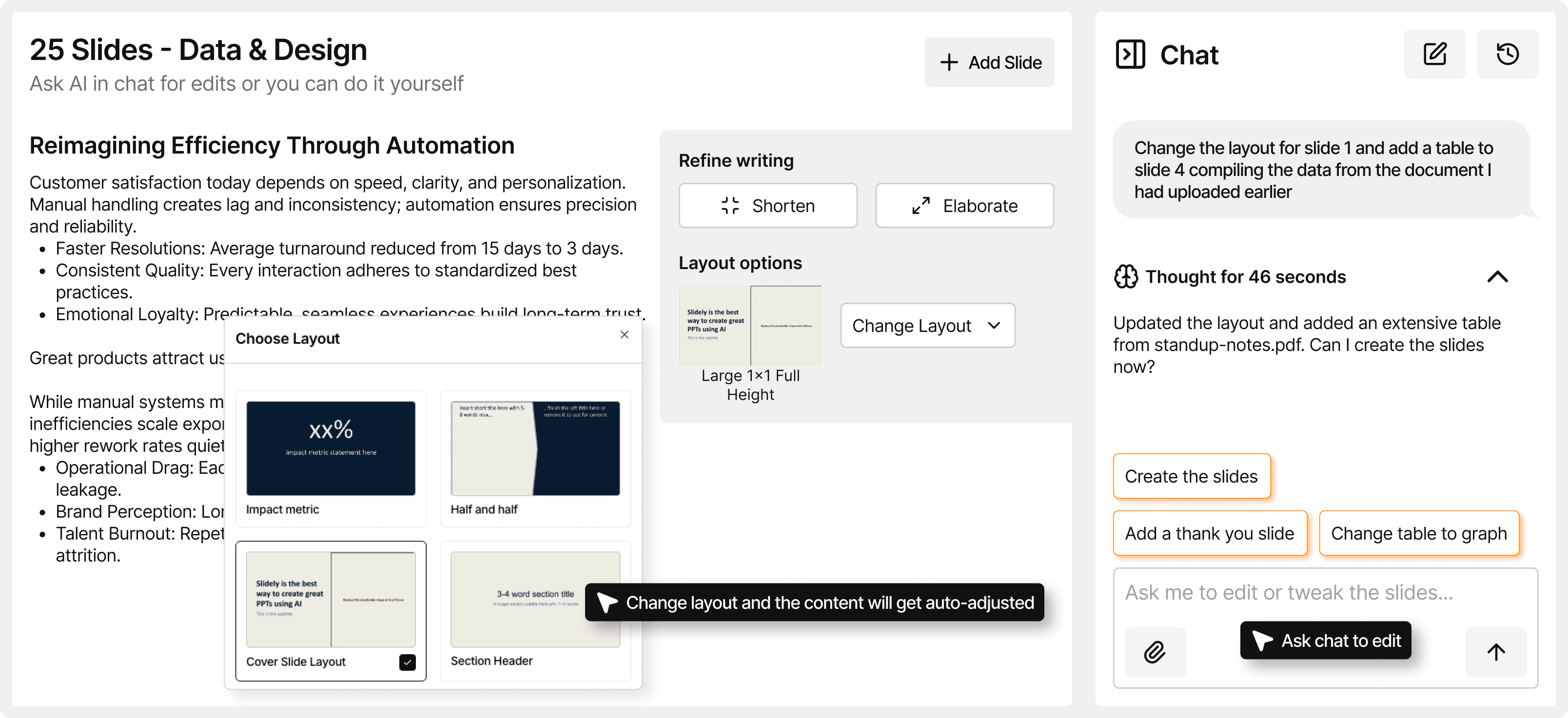
Refine each slide
Edit content, citations, and layout choices as you go.
Pick your design
Choose a template and polish the visual finish.
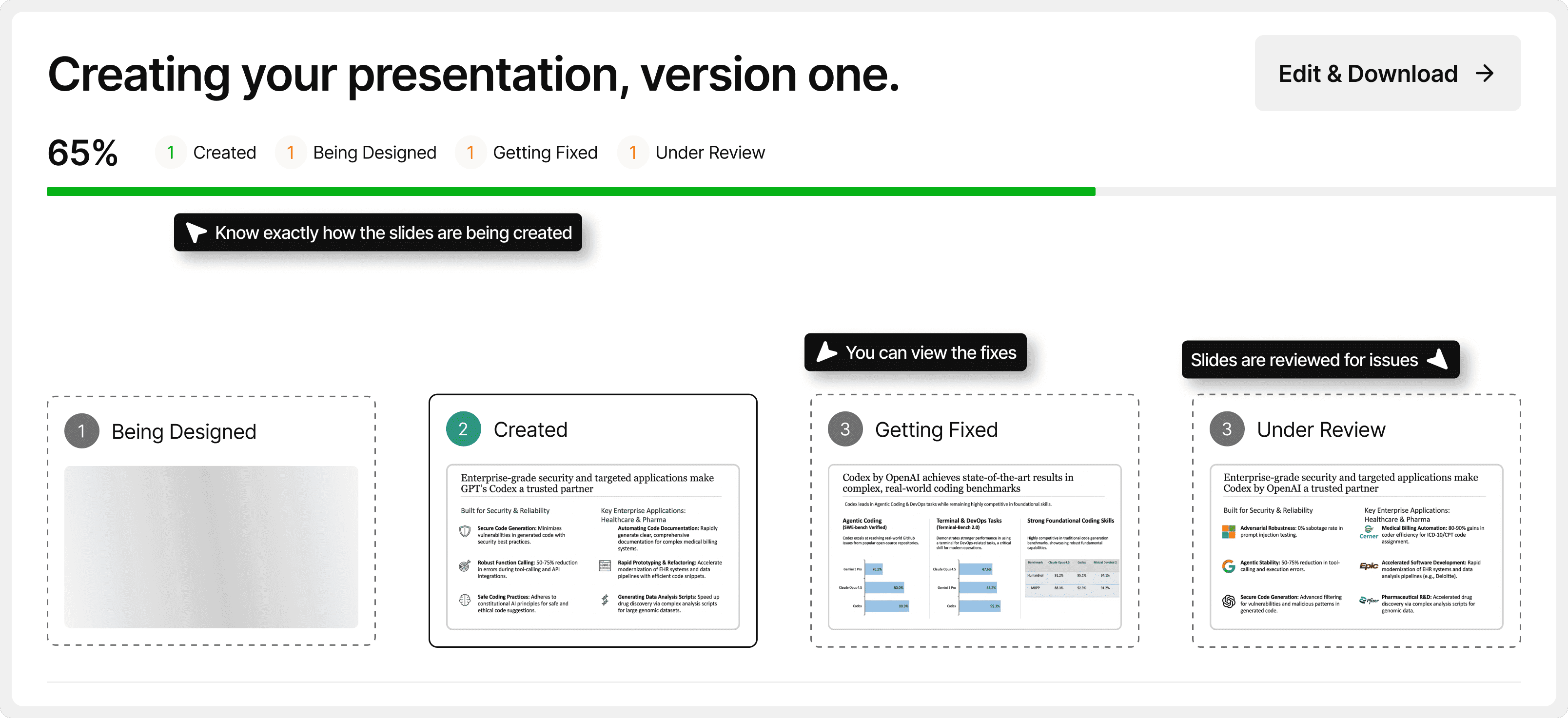
Slidely will create your deck
Slidely guides you through even the slide creation, so you are always in control
Features built for fast, controlled slide production
Manage sources, licensing, and edits with clear options at every step.
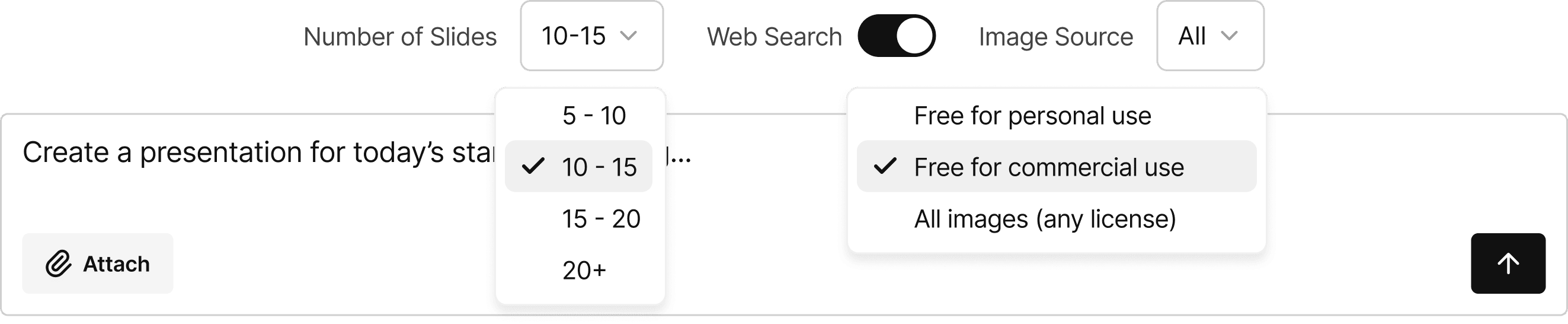
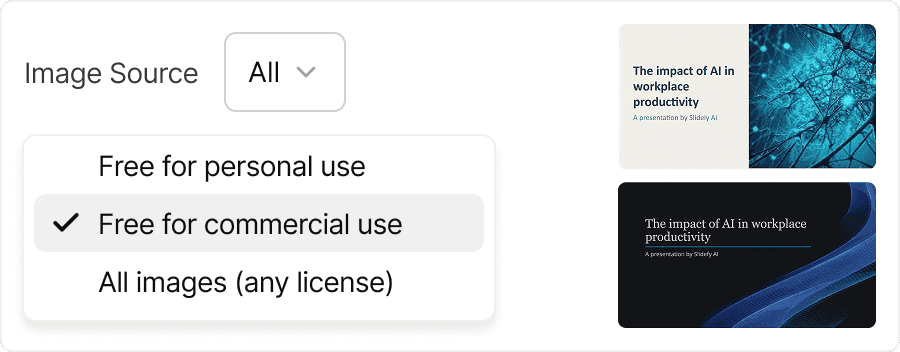
Add images with clear sourcing and licensing
Select license preferences and sources. Slidely finds or generates visuals and provides references.
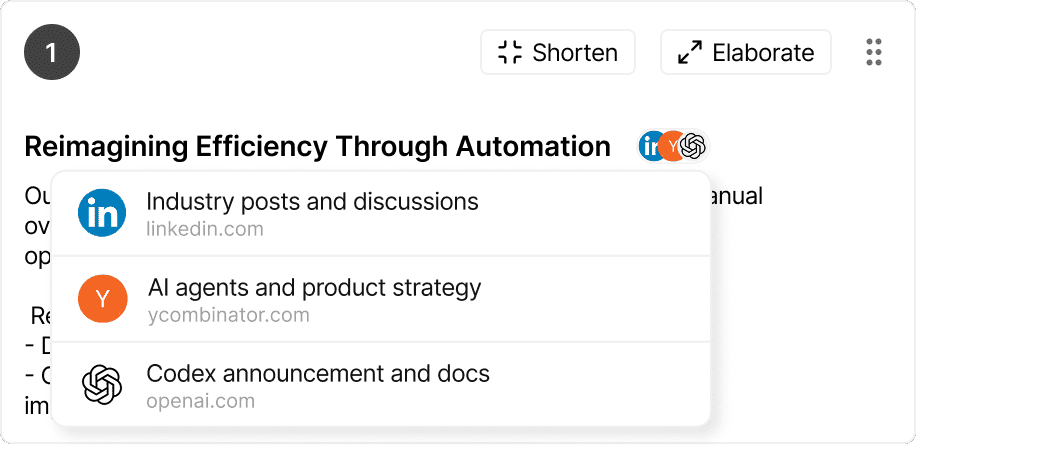
Enable web search to pull relevant supporting data
Slidely gathers information from credible sources and includes links, so you can review what's used.
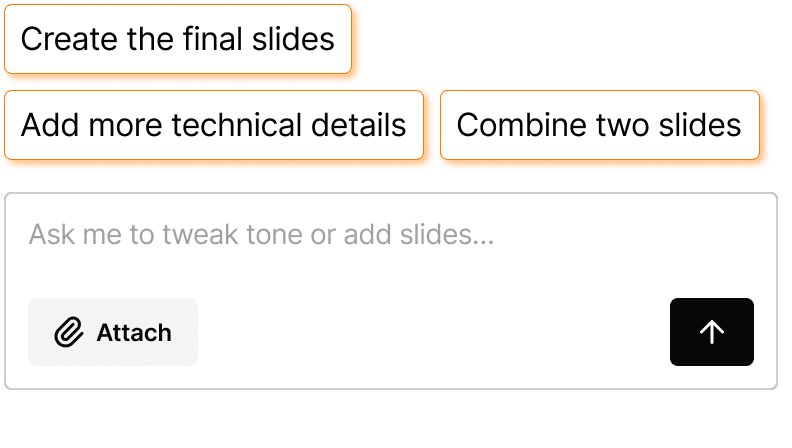
Guided prompts to keep work moving
Slidely surfaces quick, relevant suggestions you can apply or edit before continuing.
“Slidely ships fast and it shows; features we needed arrived in weeks, not quarters. It's become a daily part of our workflow and saves our team valuable hours to focus on content development. The team is consistently responsive and willing to iterate with us.”
Anchit, Director of Corporate Strategy

“As ex-BCG, I was quite skeptical of using AI for my slides apart from ChatGPT. Slidely broke the wall for me. It's become an essential part of my toolkit. I make changes and review slides with ChatPPT regularly now.”
Abhimanyu, Consultant of Global Tech Strategy

“Day 1 with Slidely, I spotted a heading style mismatch with our deck's style. I sent a note to Apoorve, he replied within the hour, and Nikhil fixed it by morning. I knew it — this team was building with me, not for me.”
Abhishek, Consultant & Applied AI Lead

Explore more products
Slidely AI has more products to cater to your enterprise needs