




What are we creating today?
Make a PPT for the stand-up today using our template...
Web
Create, edit, and share decks from any browser. No install needed.
 PowerPoint
Create and redesign on-brand slides in your company templates, using context from 


 and more.


On PPTBench, Slidely's agent ranks #1
Lower is better
 Balanced
 Fable
Fable Opus 4.8
 Heavy
Heavy5×
Higher is better
BalancedFableOpus 4.8Heavy1.3×
We extract your design system and content, then generate on-brand slides with the help of an AI agent.
A user uploads a PowerPoint file. Slidely extracts its design system, including fonts, colors, layouts, logos, and components, then the Slidely Agent generates on-brand slides.
atlas-deck.pptx

 Atlas
Atlas



“It's a game changer”
Simon Van Drooghenbroeck
Consultant in Supply Chain and Operations · Resultance · Belgium

“It’s the best money I spent last year on a subscription.”
Mark Whybrow
Founder and Director · Engage Technique · United Kingdom
“It’s doing the job from beginning to end — you have everything in full, and you can always go back and recheck.”
15+ years as a Divisional Process Manager
Technical process management · 10,000+ employee construction manufacturer · Europe
Each slide helps Slidely learn your company's design system and strategic context.
Your team creates slides and reviewers approve or reject them. Slidely learns your company's design system and preferences from approved slides and applies them in later chats.


Start in your browser, inside PowerPoint, or from the AI assistant you already use.
What are we creating today?
Make a PPT for the stand-up today using our template...
Create, edit, and share decks from any browser. No install needed.
In the Slidely web app, a user attaches files and pastes text, then types a prompt to create a presentation deck with slides.
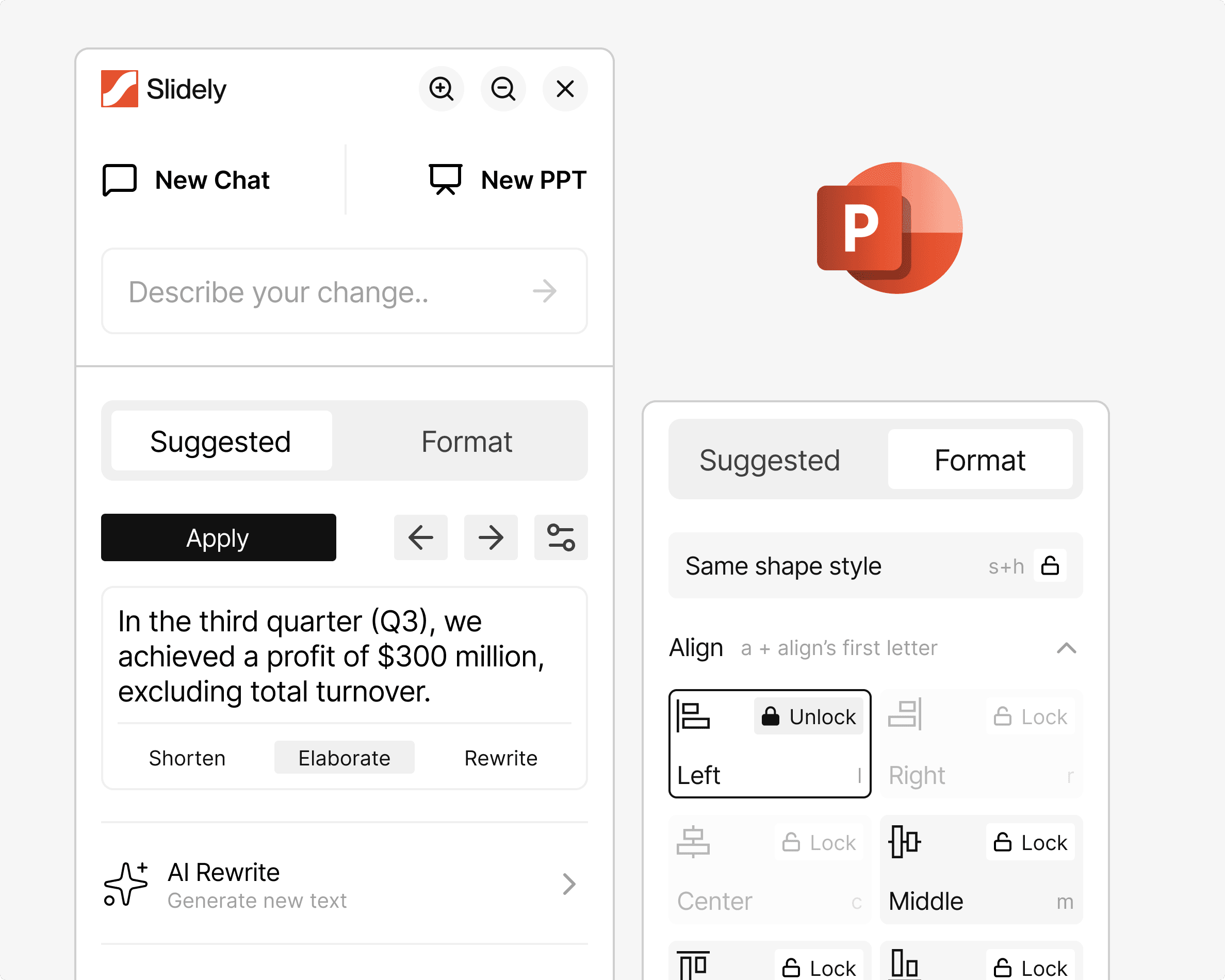
Build and refine decks right inside PowerPoint on Windows and Mac.

Slidely
Create and edit presentations
Create decks from ChatGPT, Claude or any AI tool.
Please create a slide using the given data and design in the text
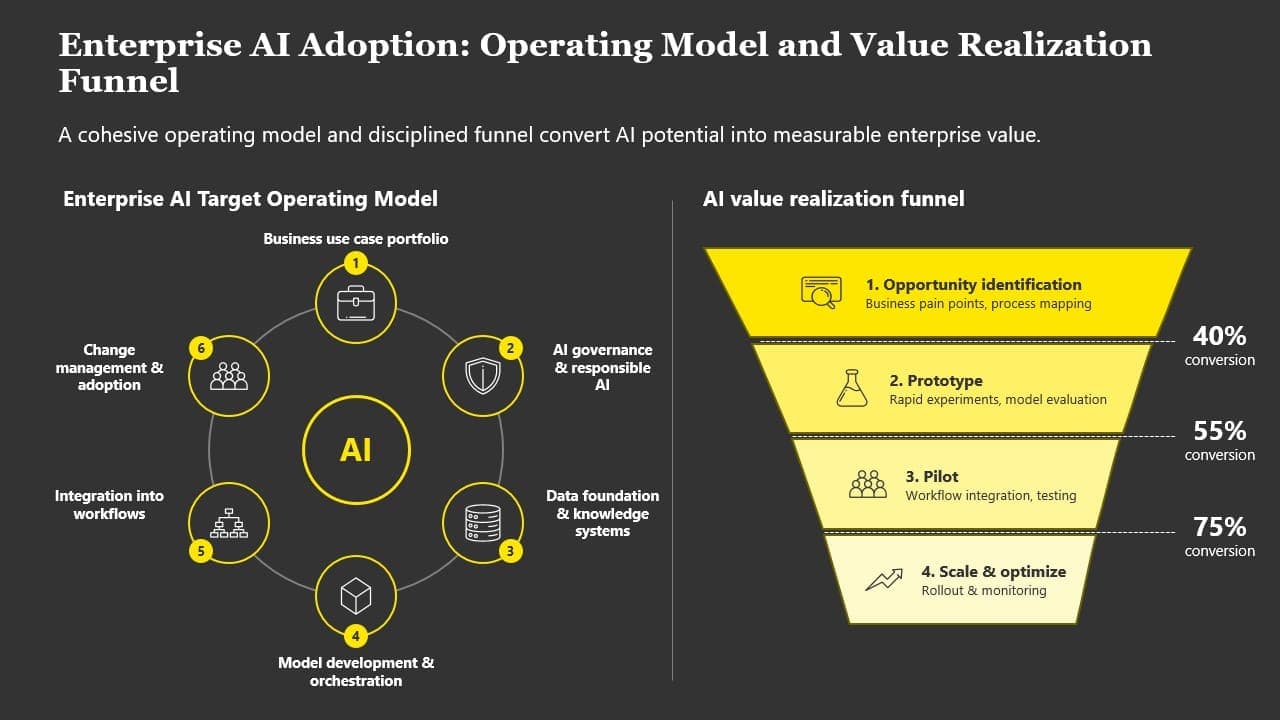
Create a slide from this whiteboard sketch.
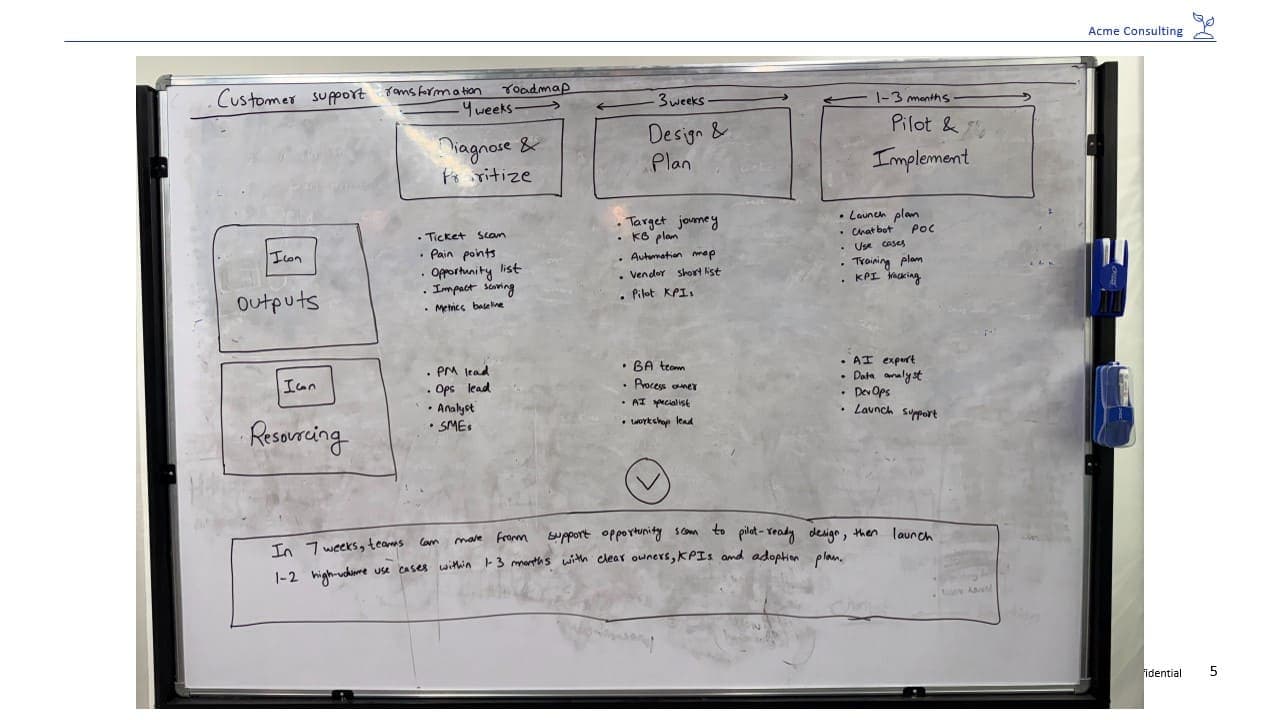
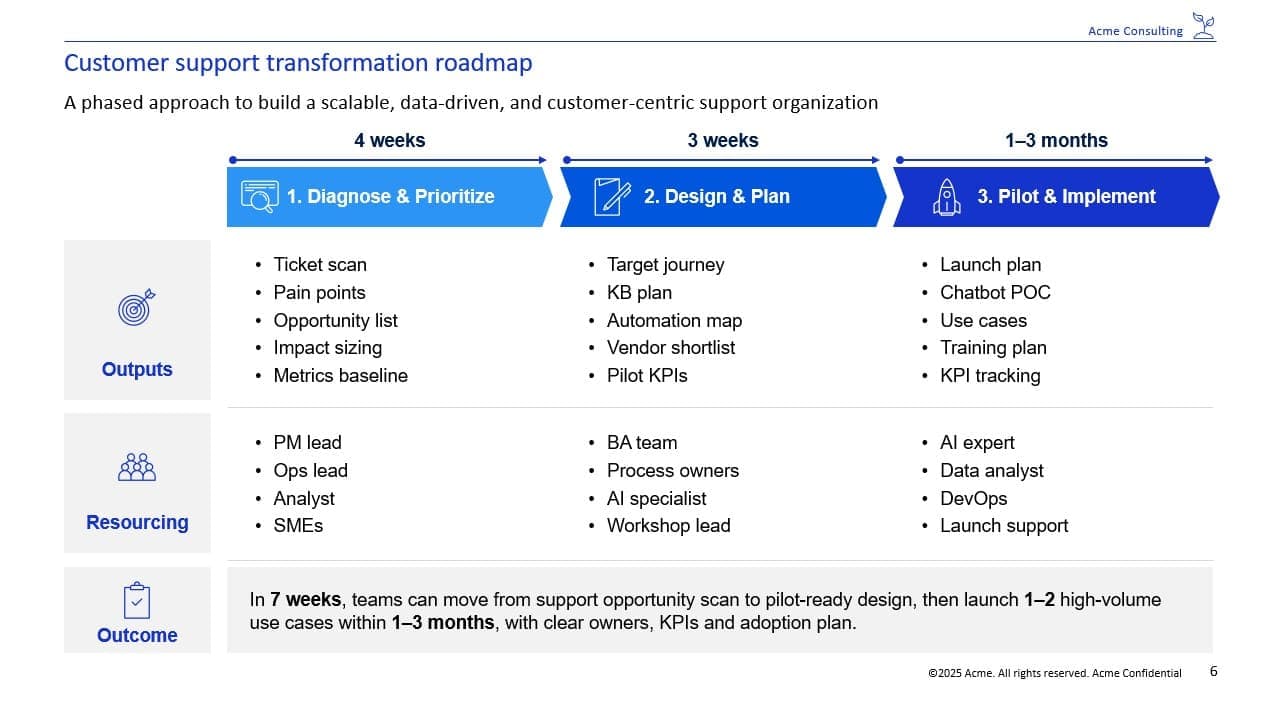
Please remove the numbers and shift the icons to the left in their place. Emphasize the scope points. Add thin dashed separators between rows, and make the font sizes consistent.
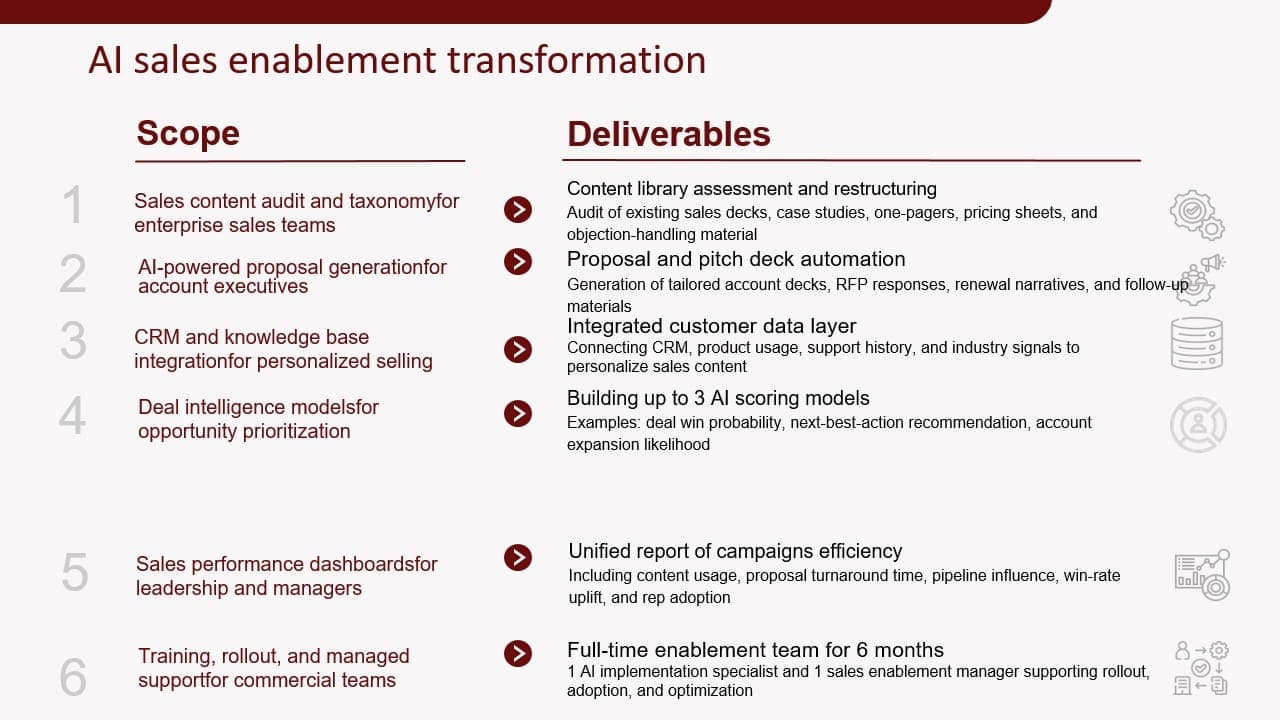
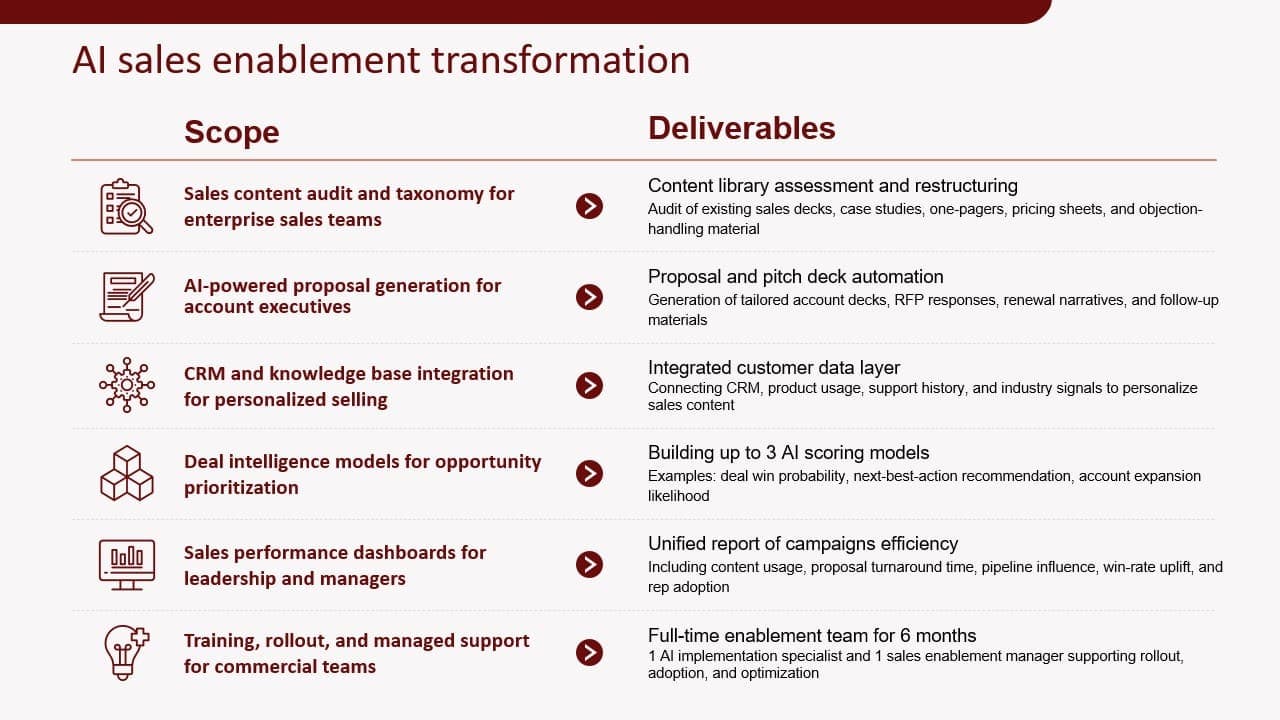
Please redesign this slide.
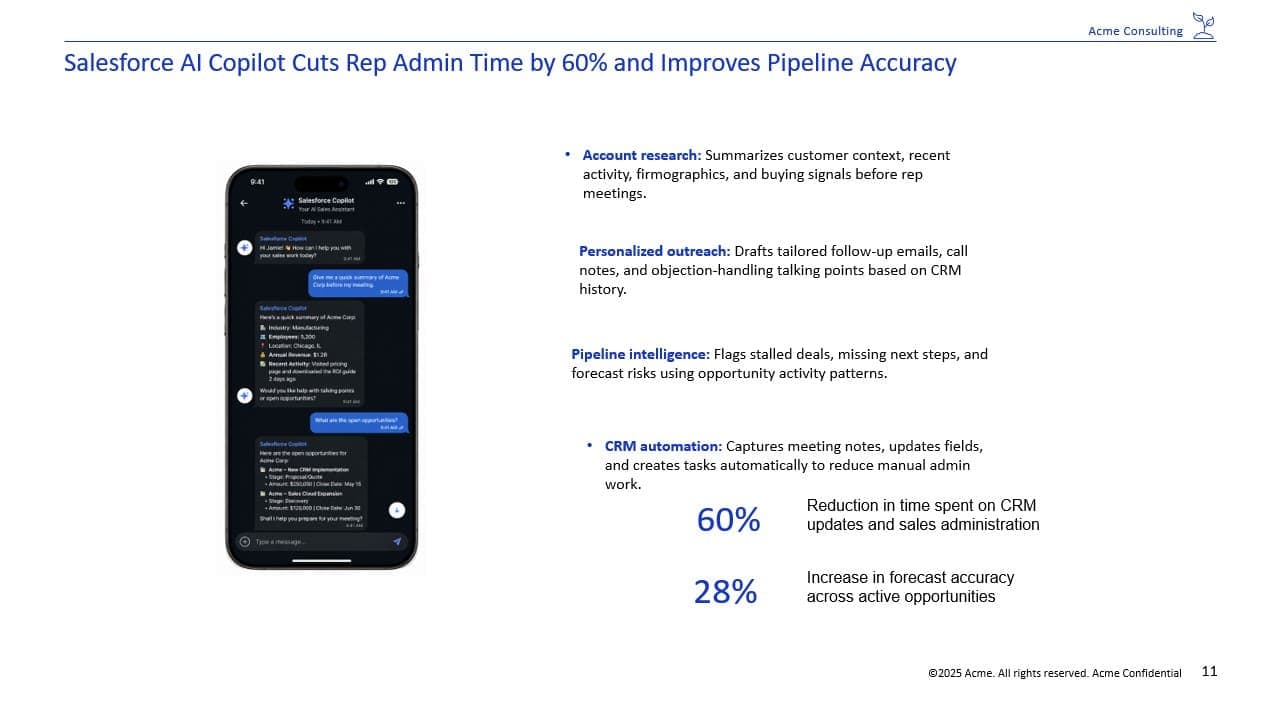
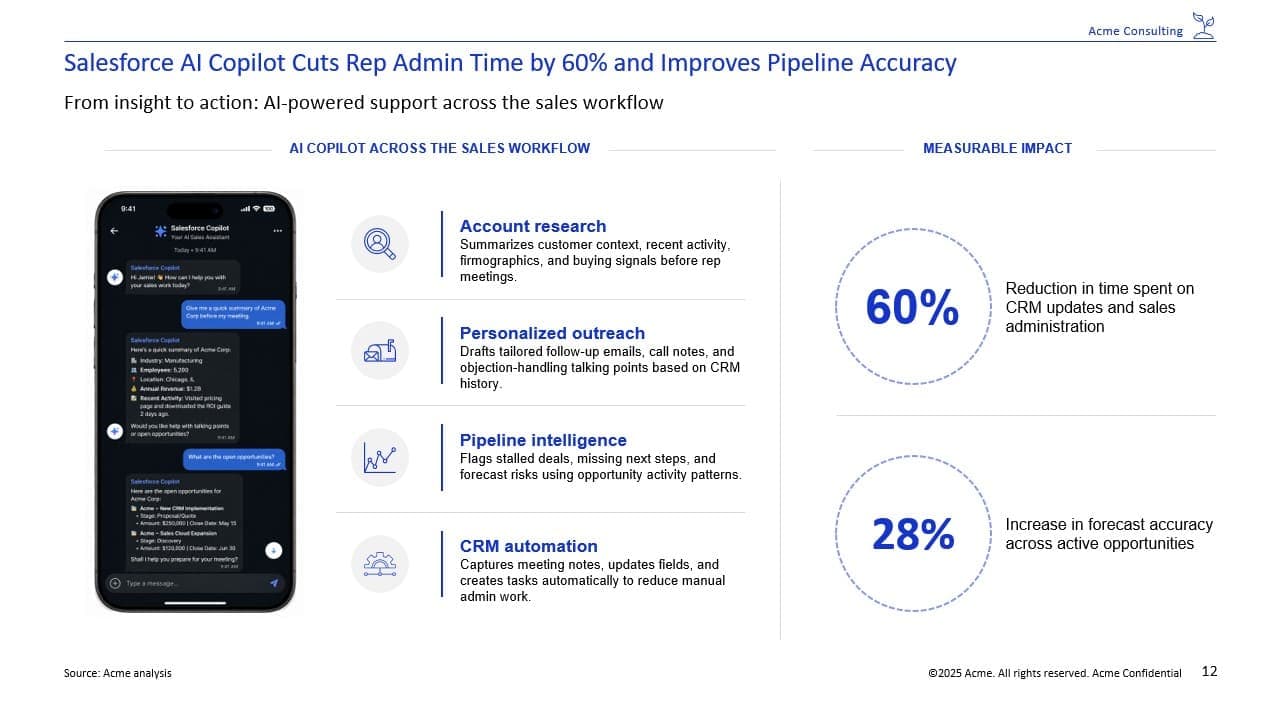
Please visualize this slide using charts
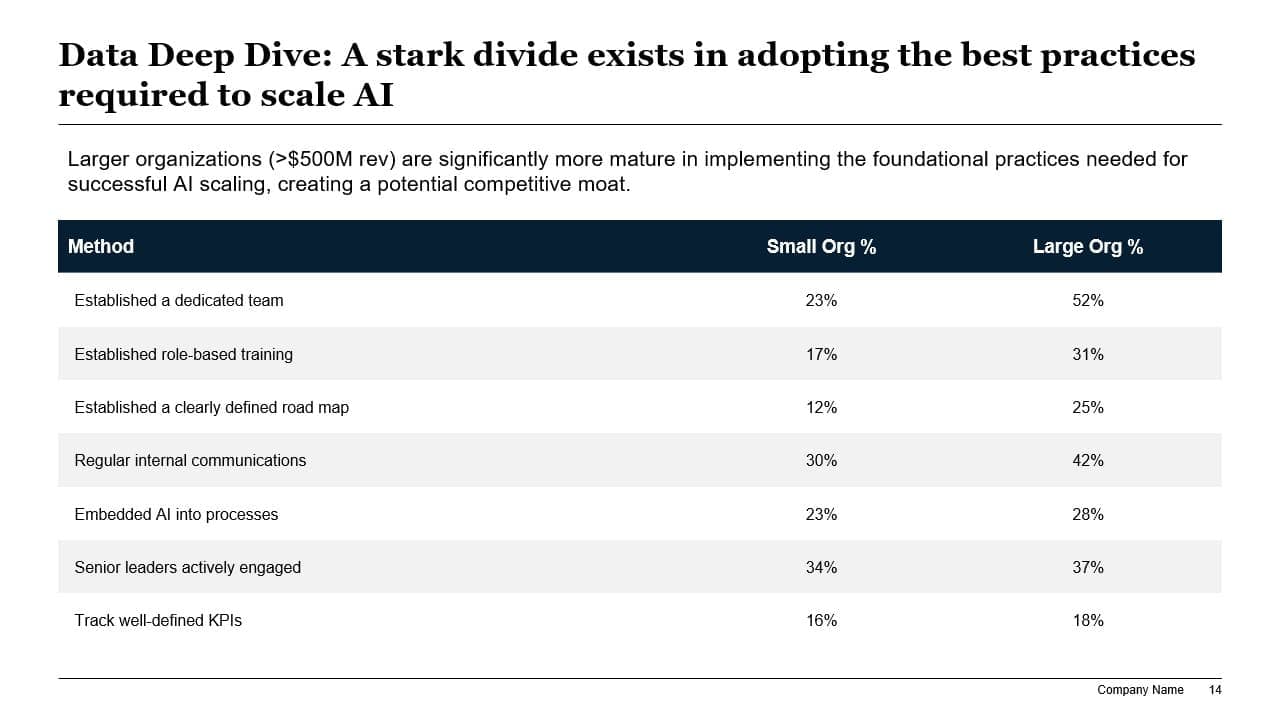
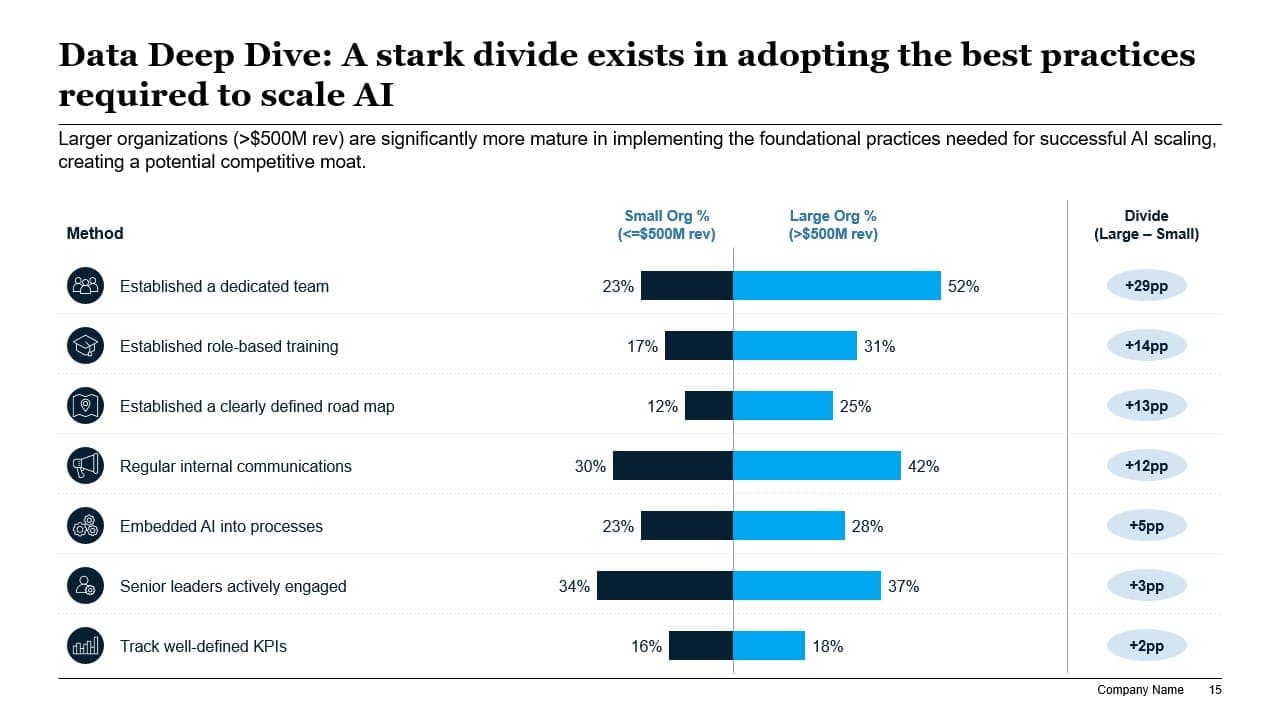
Please condense the information in the table cells, excluding row and column headers, to 2-3 words per bullet.
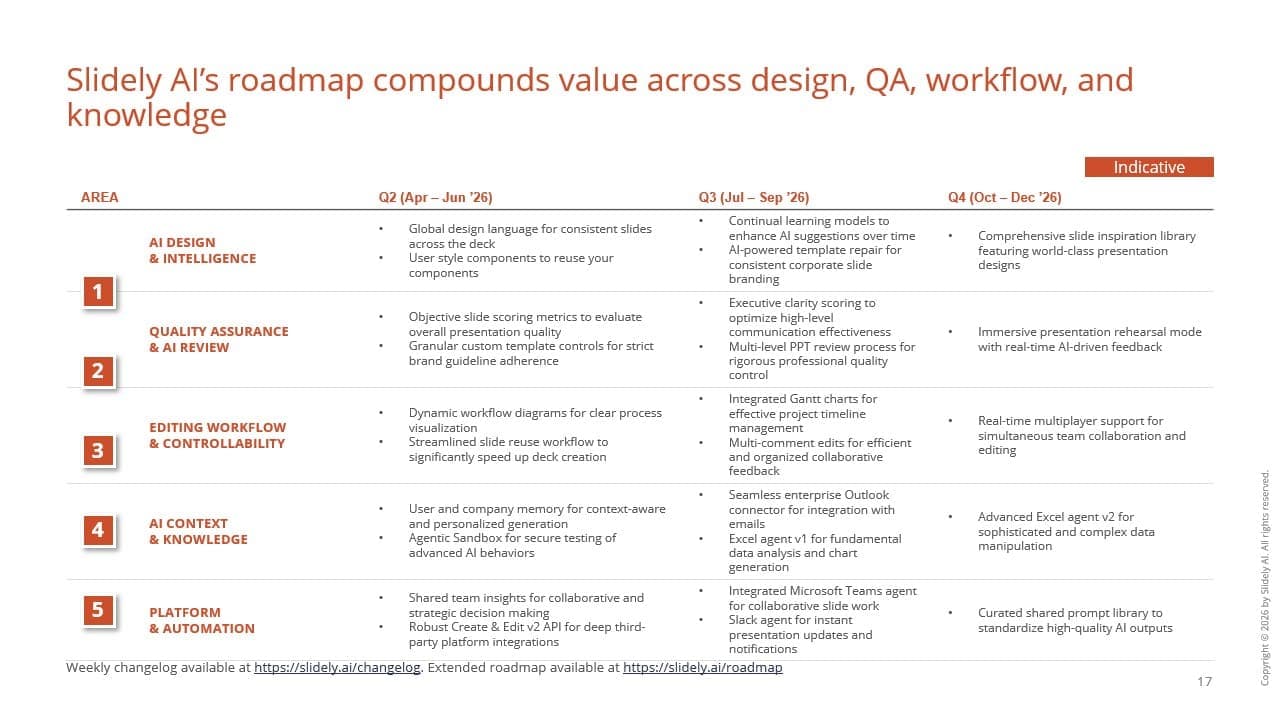
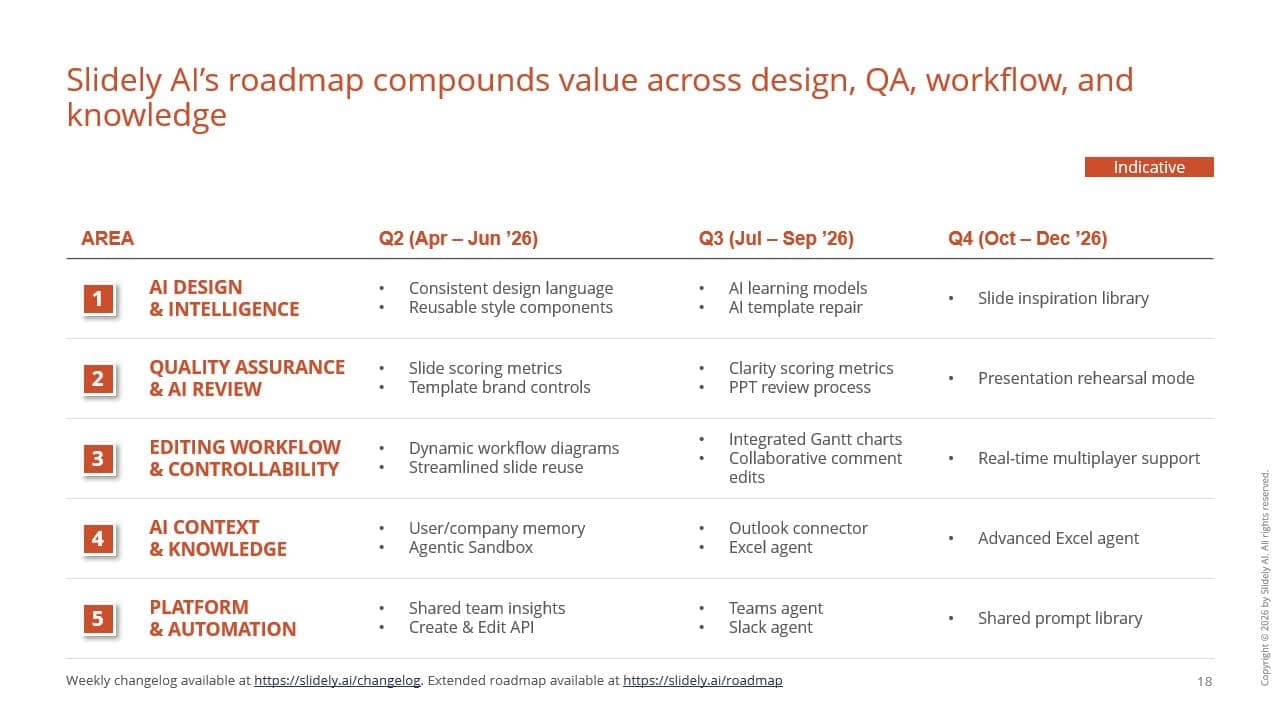
Please add relevant logos and flags to this slide.
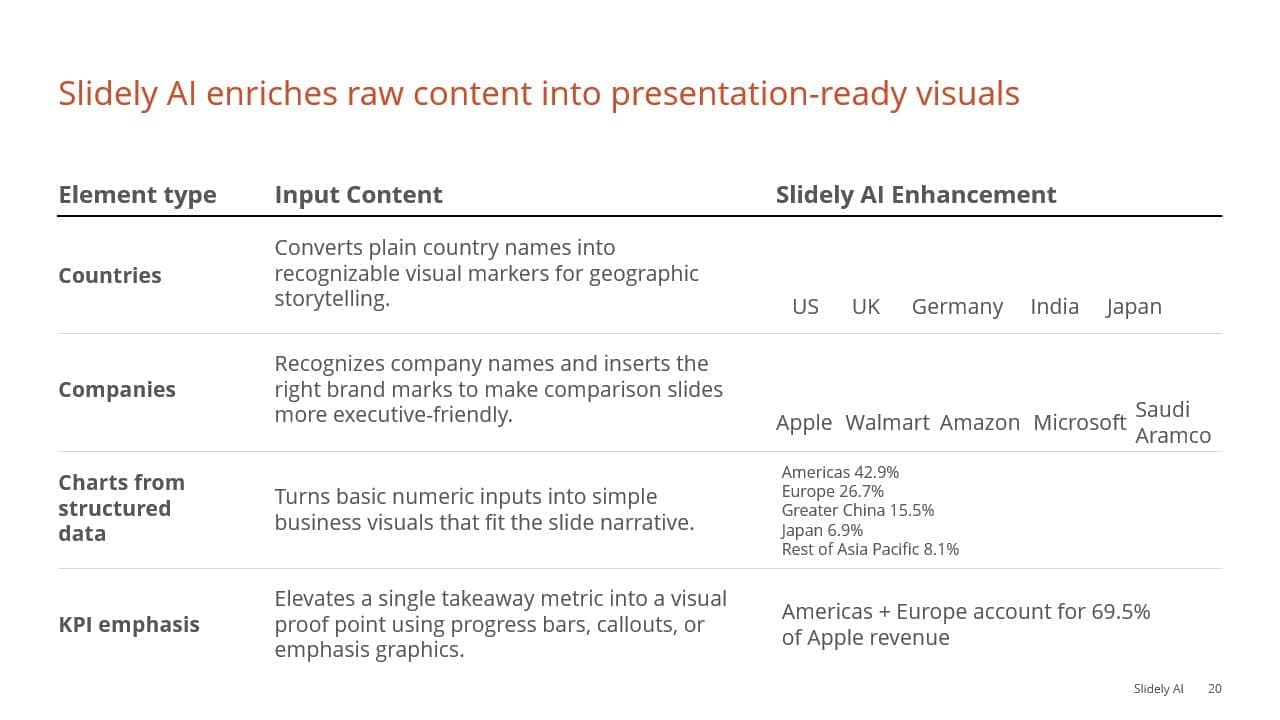
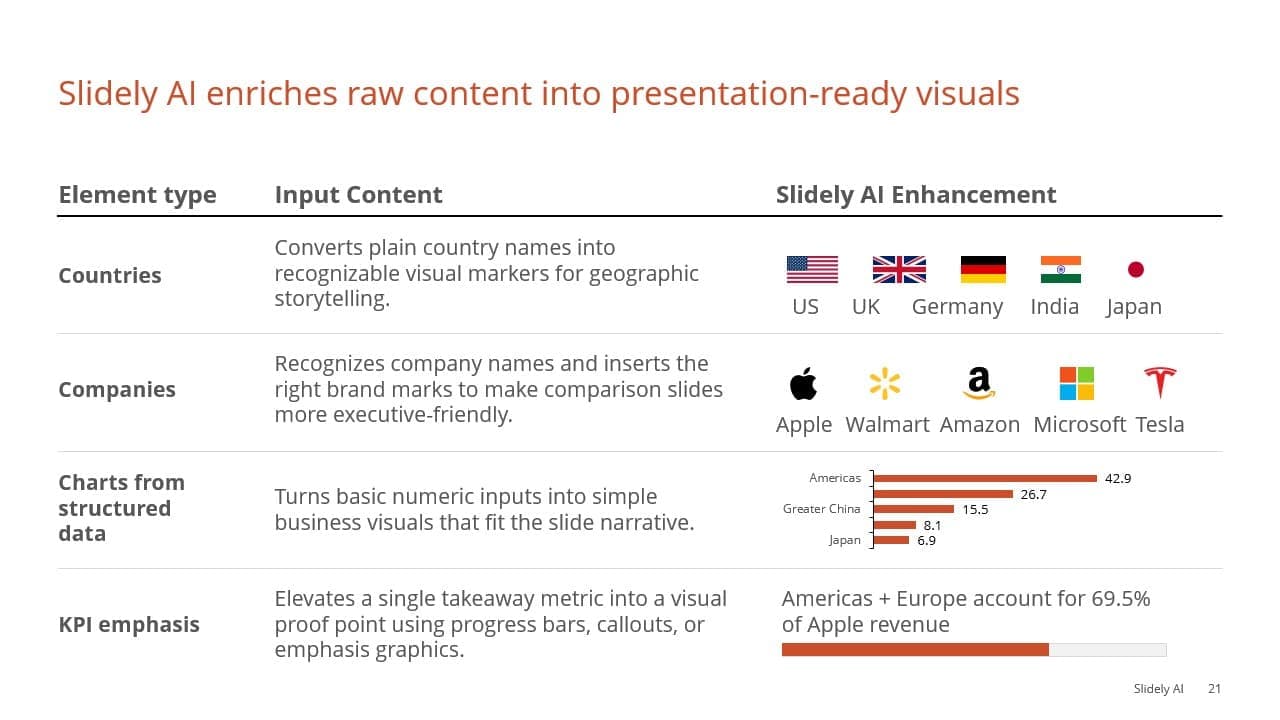
Please add professional, relevant icons with background frames on this slide.


Please add an image to this slide.
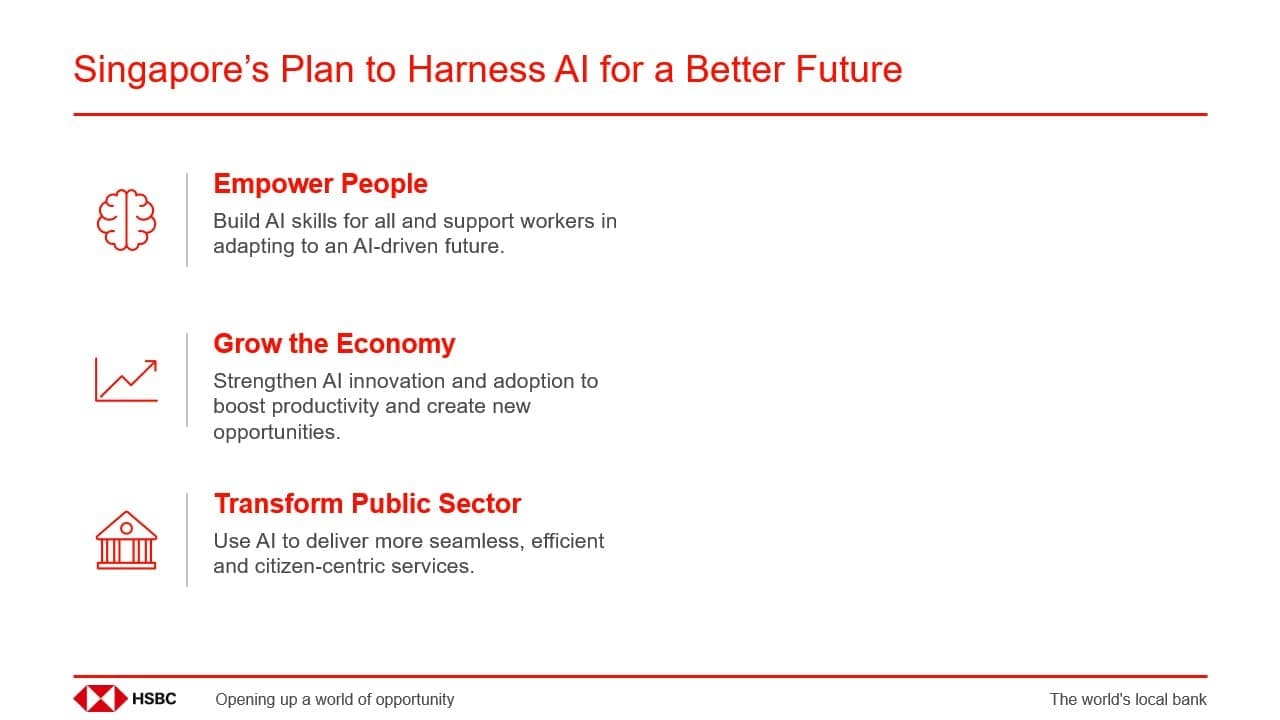
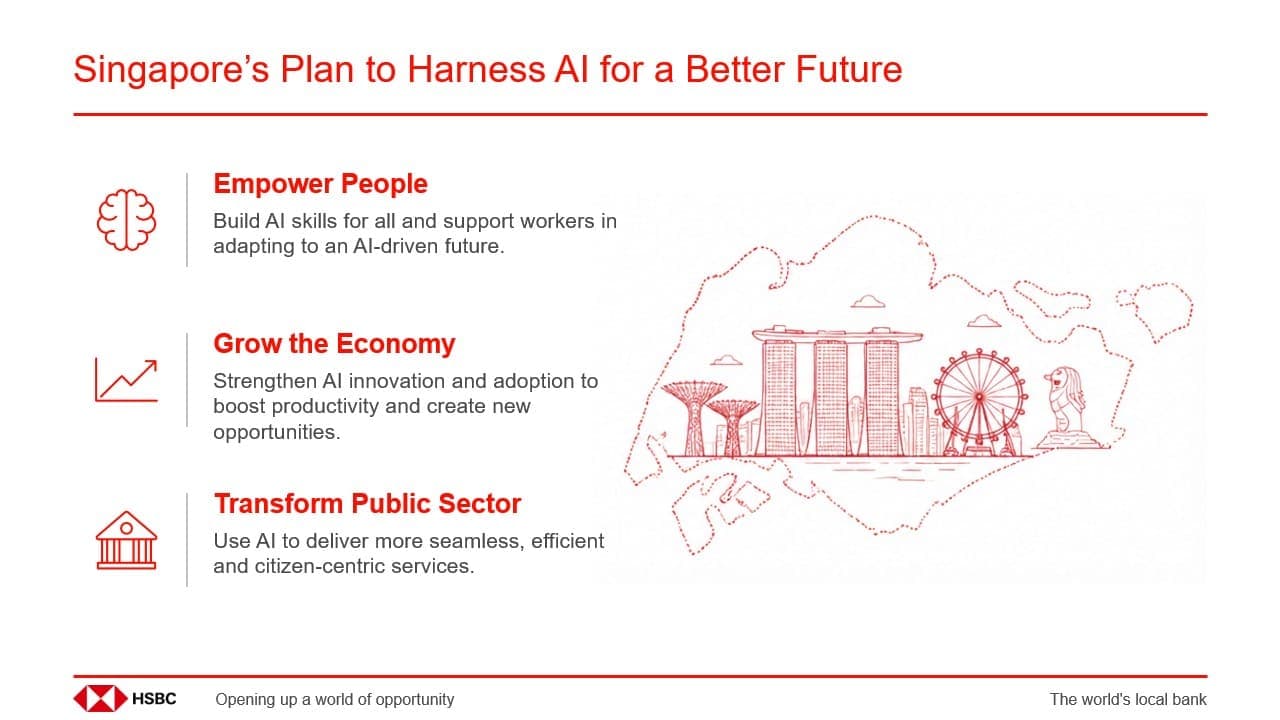
Deploy Slidely AI with dedicated infrastructure, data residency, compliance controls, and zero data retention.
Private deployment
Deploy Slidely AI in your private cloud or VPC, with customer content processed inside your own data plane. Supports AWS, Azure, GCP, PrivateLink, VPN peering, and customer-specific network architecture.
Your LLM endpoints
Connect Slidely AI to your own LLM endpoints or AI gateway, using your keys and contractual terms. Sensitive customer content stays in your environment and is never sent to Slidely's control plane.
Security and compliance
SOC 2 Type II certified and GDPR compliant, with US and EU data residency options. Customer-managed keys, tenant-isolated encryption, and zero data retention with OpenAI and Google.

Feature Release

Fixes & improvements
Feature Release
Fixes & improvements
Sep
Teams and Slack bots
Slidely API v2
Sub-30 second edits
Oct
Design kits
Official Claude plugin
Animations & transitions
Nov
Upcoming
Auto-accept edits
Shared projects
Automatic slide library
Dec
Prompt library
Inspiration from public presentations
Industry-specific flows
Oct
Design kits
Official Claude plugin
Animations & transitions
From setup to security, here's how Slidely makes adoption effortless for teams and safe for organizations.
Yes. Slidely AI creates fully native PowerPoint objects, so all your existing add-ins — including ThinkCell — continue to work seamlessly. For example, if you ask Slidely to "create a chart from this table," the resulting chart will be a standard PowerPoint shape you can edit directly or use with ThinkCell, without any extra steps.
Yes, Slidely offers a lot of non-AI features you can use without an internet connection. AI features require internet connectivity. However, once your slides are generated, all files are standard PowerPoint documents that can be opened and edited offline.
Yes. Upload your company template and Slidely will apply your fonts, colors, layouts, and styles automatically—so every deck stays consistently on-brand. Slidely also adapts to your team's slide patterns over time, so results feel authentically made by your team, not "AI-generated."
Unlike general AI tools, Slidely is purpose-built for PowerPoint — it understands slide structure, visual hierarchy, and brand consistency. Think of it as an AI teammate that designs and edits decks the way your team already works.
No — there's no cap on the number of decks or slides you can create. We only reserve the right to restrict usage in the rare case of activity that triggers our spam or abuse filters.
Our primary hosted database and file storage are in the United States. Our affiliate may access and process data from India, and our service providers may process data in other countries as described in our Privacy Policy.
See our Privacy Policy for more details on storage and retention.