
Step 1
Open the Infographics Wizard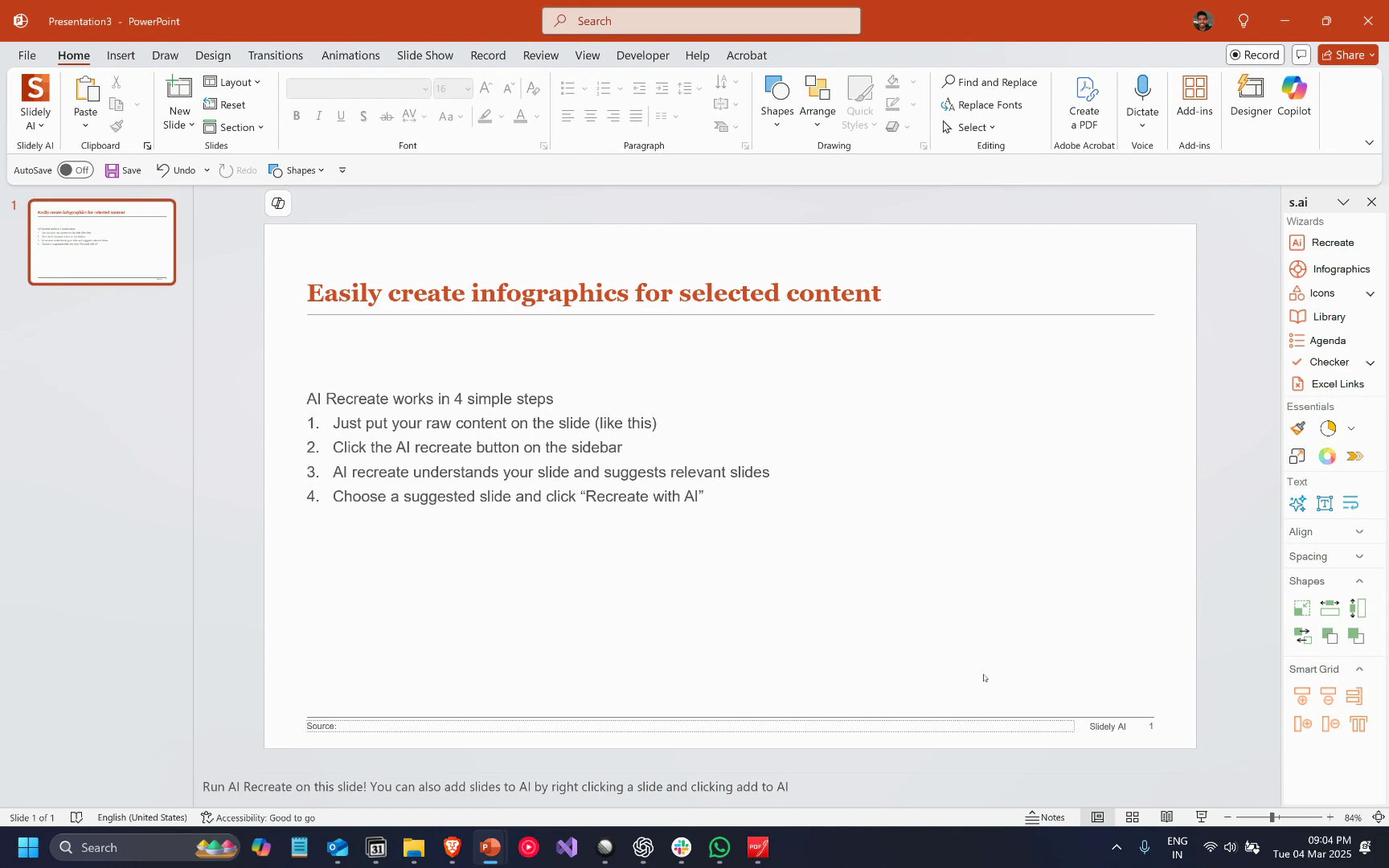
Step 2
Select Your Content Choose the content on your slide that you want to convert into an infographic. For this tutorial, we’re using a text that outlines a four-step process.Step 3
Generate Your Infographic On the taskpane, click Generate. The wizard will analyze your content and generate infographics that match your company’s branding.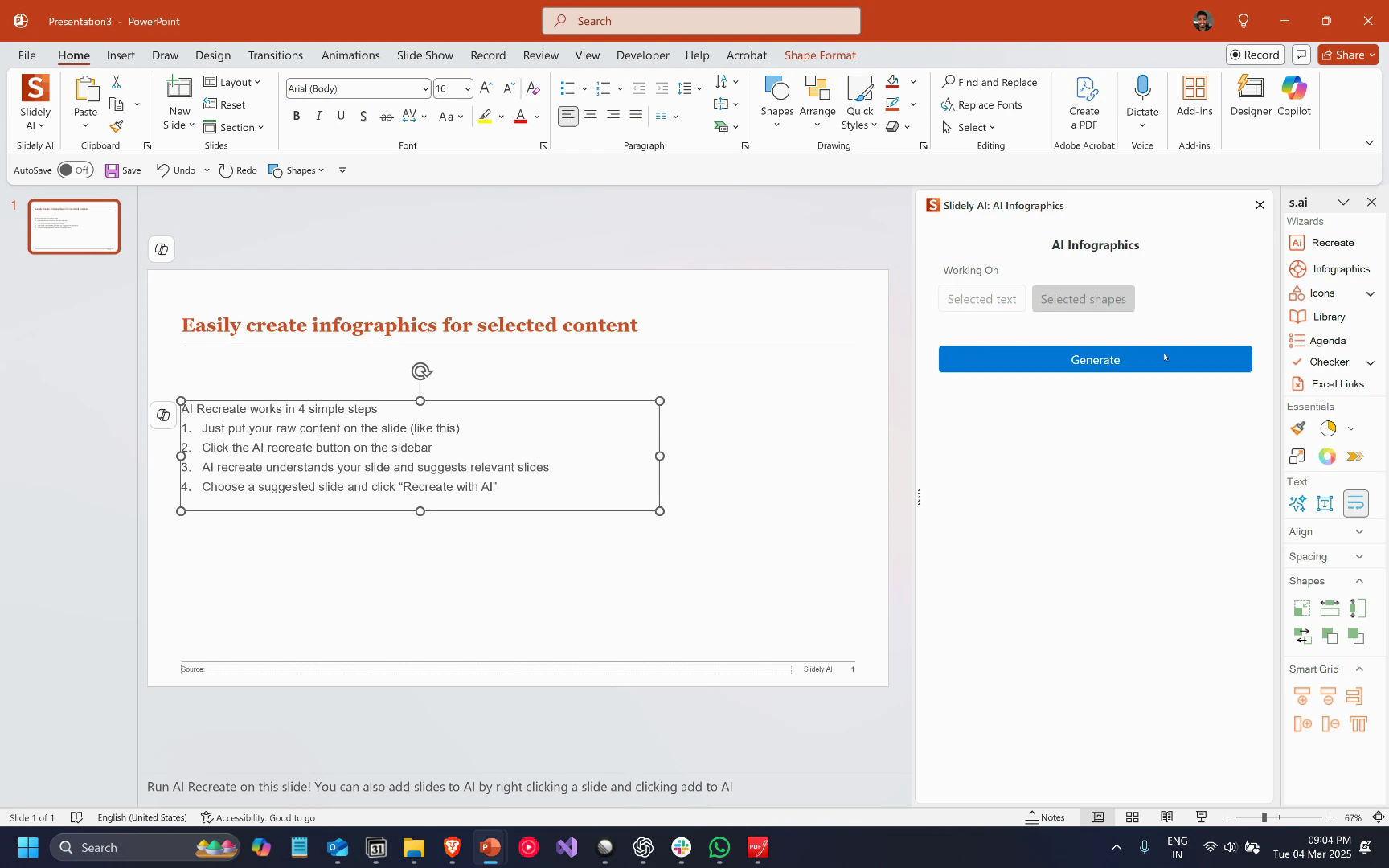
Step 4
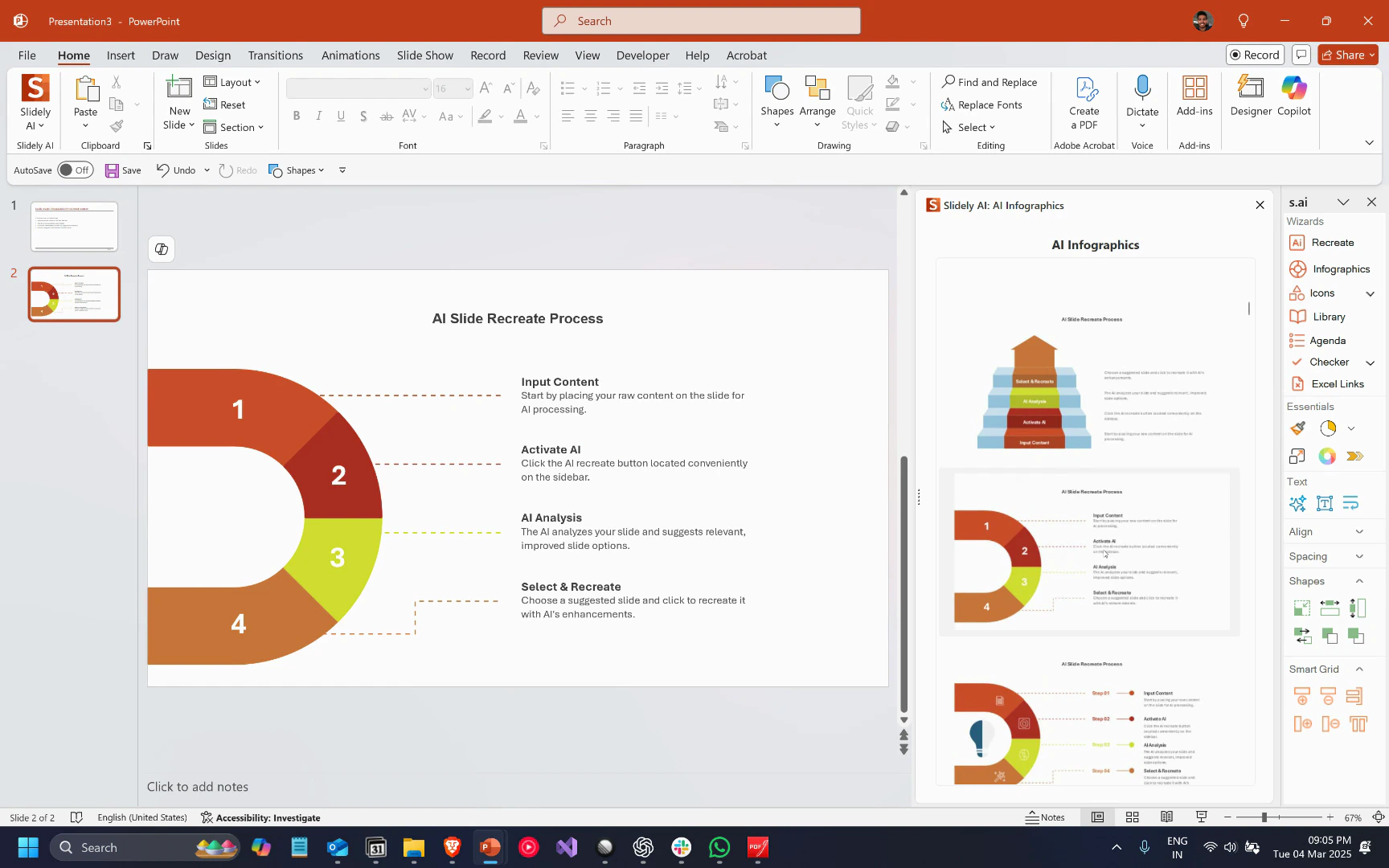
Preview and Insert Your Infographic You’ll be able to preview the generated infographics and insert the one you prefer. When you click on an infographic, it’ll show a preview on a new slide without modifying the existing one. You’re free to switch between different infographics to see what they look like. Note that the wizard automatically selects relevant icons and ensures all infographics align with your color scheme.